
Proxmox Infrastructure Hub: 11 Guides to Deploy Your Self-Hosted Stack
Central hub of the Proxmox Infrastructure Series — 11 guides to deploy a complete self-hosted stack on Proxmox VE: Ghost CMS, Ubuntu Server, Docker, Zoraxy, Vaultwarden, Uptime Kuma, WireGuard, K3s and more.

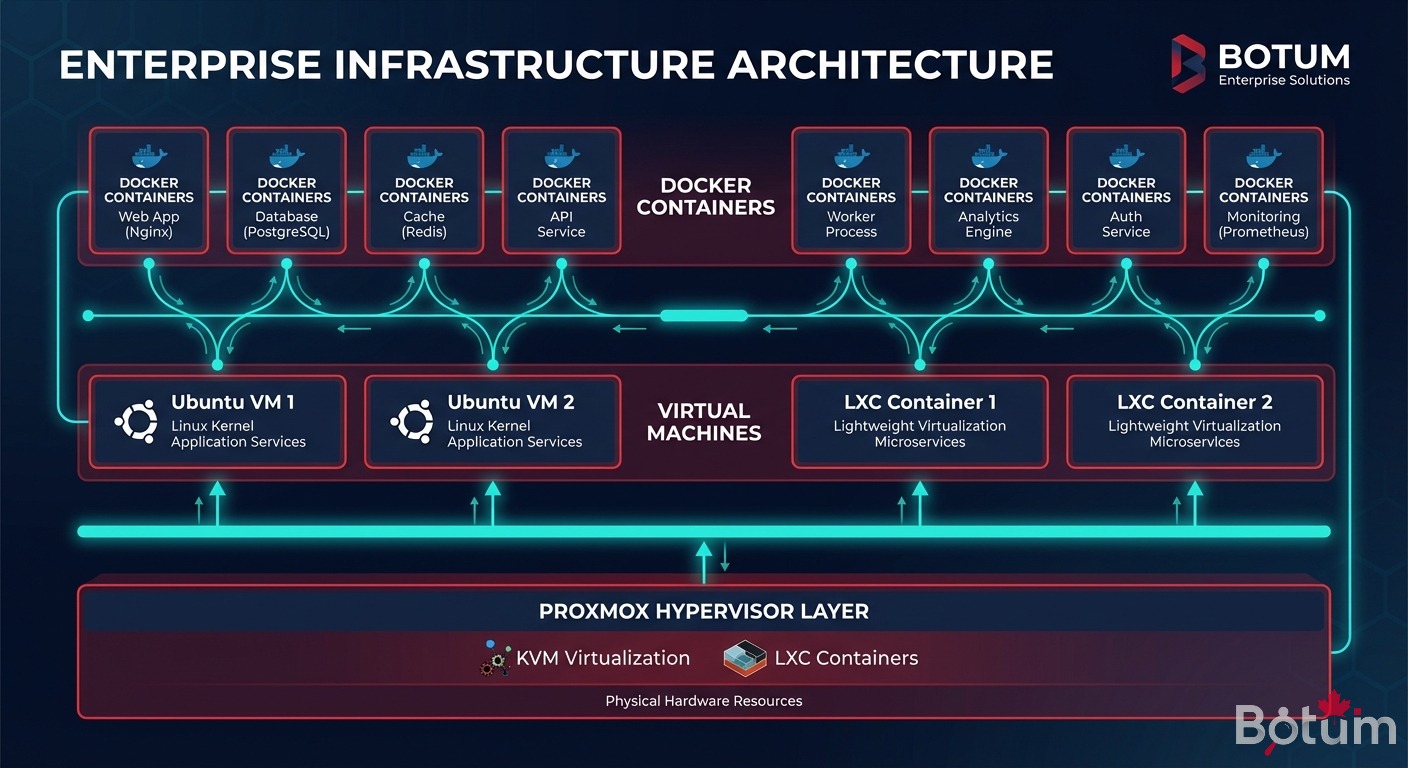
Proxmox VE is the foundation of any modern self-hosted infrastructure. Open source hypervisor, unified KVM + LXC management, native high availability, instant snapshots — it's the base on which the complete stack documented in this series rests.
This hub centralizes the 11 technical guides of the Proxmox Infrastructure Series. Each post documents a technology deployed on Proxmox, from the base Ubuntu VM through Kubernetes orchestration with K3s. By the end of the series: a complete, operational, self-hosted infrastructure — fully under your control.
Why Proxmox at the Core of the Infrastructure?
In 2026, hypervisor choice is strategic. VMware (now Broadcom) has aligned its pricing policy with the enterprise market — vSphere licenses have doubled to quintupled depending on usage profiles. Hyper-V remains viable under Windows Server, but implies Microsoft ecosystem dependency. Bare ESXi without vCenter loses much of its value. And OpenStack, while powerful, is oversized for 90% of SMBs.
Proxmox VE emerges as the mature open source alternative:
- KVM + LXC: both virtualization paradigms in a unified interface. Full VMs for workloads that need them, lightweight LXC containers for simple services.
- Native cluster: Corosync quorum, live migration without interruption, automatic HA on node failure.
- ZFS snapshots: instant rollback before a critical update — a major differentiator vs. competing solutions.
- Integrated Ceph: distributed storage across cluster nodes, without expensive external SAN.
- Complete REST API: native automation — Terraform, Ansible, custom scripts, everything integrates.
- AGPL license: free forever, no vendor lock-in, no imposed end-of-support date.
According to an IDC 2025 study, 61% of European SMBs that migrated from a commercial VMware solution chose Proxmox as their primary alternative. Average ROI is reached within 8 months.
The Complete Stack — 11 Technologies, One Coherent Ecosystem
This series doesn't document isolated technologies. Each guide fits into a larger logic: one service builds on the infrastructure of the previous, exposes its endpoints to the next. By the end of the series, the 11 building blocks form an operational system.
🖥️ The Foundation: VM and OS
Ubuntu Server is the reference operating system for Proxmox VMs in this stack. LTS distribution, 5-year support, mature package ecosystem — it's the stable base on which everything else installs. We start here.
🐳 Containerization
Docker is the application containerization runtime. In this stack, Docker runs on Ubuntu VMs. It isolates services (Ghost CMS, Vaultwarden, Uptime Kuma...) in portable containers, with volume and network management. The host infrastructure stays clean.
✍️ Content Publishing
Ghost CMS is the blog and content publishing engine. It runs in a Docker container on an Ubuntu VM. Performant, headless when needed, with a native RESTful API — it's the first application service in the stack.
🔀 Routing and SSL
Zoraxy is the central reverse proxy of the stack. It handles request routing to the right services, SSL termination, automatic Let's Encrypt certificates. One interface, all endpoints.
🔑 Secrets Management
Vaultwarden is the open source Bitwarden implementation. It stores infrastructure credentials in encrypted form, accessible from automation scripts, AI agents, and teams. No more flat files with passwords.
📊 Monitoring
Uptime Kuma monitors the availability of all stack services. Real-time dashboard, Telegram/email alerts, public status pages — operational visibility in a single service.
⚙️ Automation
Linux scripts and crons are the connective tissue of the infrastructure. Automated backups, log rotations, synchronizations — automation without AI agents for repeatable mechanical tasks.
🔄 Resilience
High availability via DRBD, Proxmox Backup Server snapshots, and failover strategies — the stack survives hardware failures. Data persists, services restart.
🔒 Network Security
WireGuard creates the site-to-site VPN tunnel that connects Proxmox nodes between datacenters, or gives secure remote access to admins. Lightweight, fast, modern cryptography.
☸️ Orchestration at Scale
K3s is Rancher's lightweight Kubernetes distribution, sized for SMBs. When isolated Docker containers are no longer enough — auto-scaling, rolling updates, load balancing — K3s on Proxmox is the natural next step.
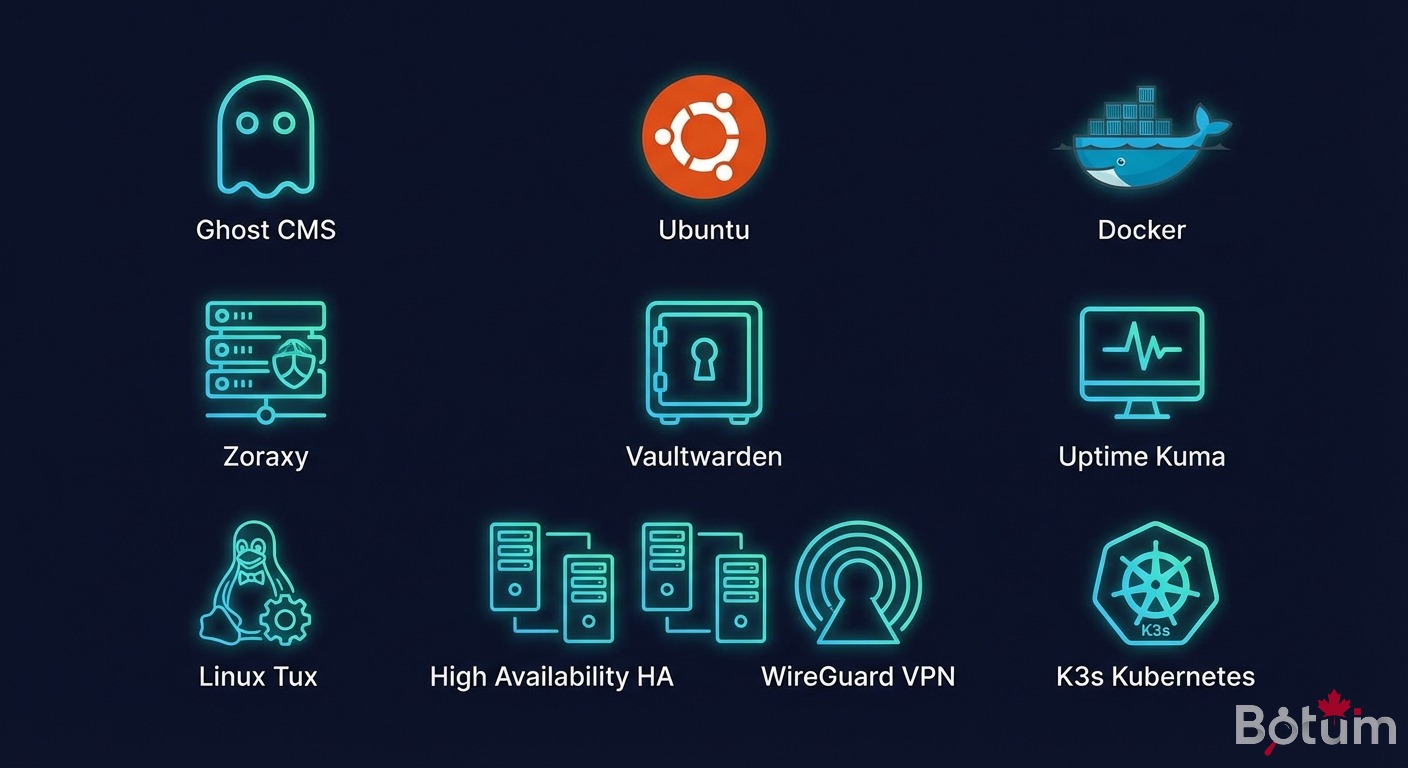
The 11 Series Guides
📚 The 11 series guides
Where to Start?
If starting infrastructure from scratch: start with guide 2 (Ubuntu Server), then follow the numbered sequence. Each guide builds on the previous one.
If a Ubuntu VM is already in place: start with guide 4 (Docker), then Ghost CMS, then Zoraxy to expose services.
If the goal is only monitoring or security: guides 7 (Uptime Kuma) and 10 (WireGuard) are standalone — they don't depend on the others to be useful.
Each guide is standalone and documented to follow without prior context. But the overall logic is there for those who want to build the complete stack.
🚀 Deploy Your Proxmox Infrastructure with BOTUM
These 11 guides cover the essentials. In production, every environment has its constraints — sizing, HA, backup, network security. BOTUM teams have deployed this stack for SMBs and enterprises of all sizes.
From initial audit to supervised production deployment — BOTUM is with you.
Talk to a BOTUM Expert →📥 Download the Complete Guide as PDF
PDF reference guide — Proxmox Infrastructure: complete series hub. All technologies, links, and context in one document.
Download PDF →
