
PFSense vs OPNsense: Which Open-Source Firewall for Your Enterprise?
Complete PFSense vs OPNsense comparison: features, Proxmox install, Suricata IDS/IPS. BOTUM recommendation for your enterprise firewall.

The PFSense vs OPNsense debate has been raging on forums for years — and for good reason. Both are excellent solutions. After deploying both at over a dozen SME and mid-market clients, I have firm opinions. This guide gives you an honest comparison based on real field experience, not marketing brochures.
Context: Why Open-Source Firewalls?
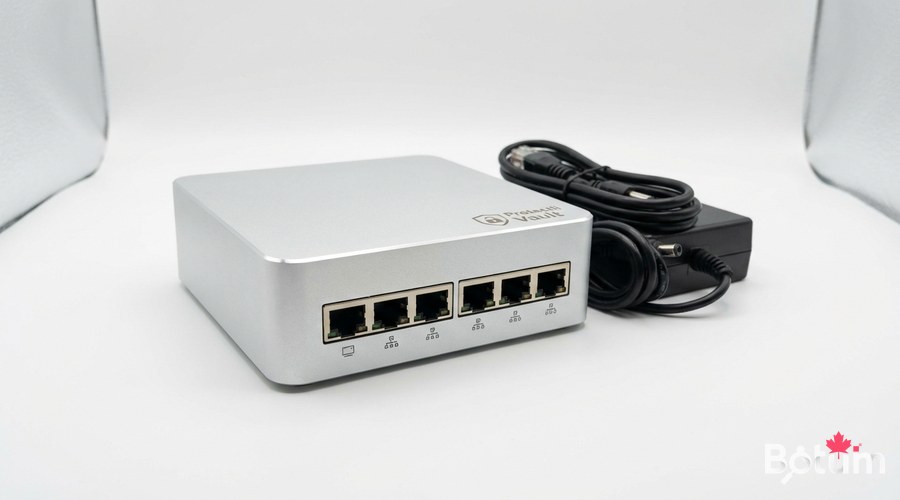
Commercial firewalls (Fortinet, Cisco ASA, Palo Alto) are expensive — very expensive. A Fortinet FortiGate license for a 50-person SME starts at €3,000/year. OPNsense on a Protectli mini-PC at €400 does 80% of the same job at a fraction of the cost. The question is no longer 'is it good enough?' but 'for whom does it work?'
- PFSense CE (Community Edition): free, paid PFSense+ for support
- OPNsense: PFSense fork (2015), BSD 2-Clause license, weekly updates
- Both based on FreeBSD — stable, secure, performant
- Same hardware support: Protectli Vault, PC Engines APU, any x86
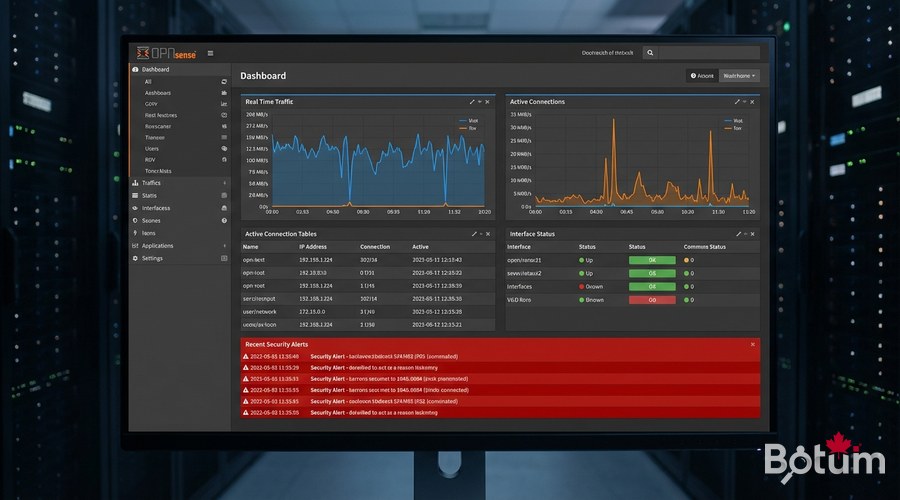
Installation Comparison
PFSense CE — Installation
# Download PFSense CE ISO from netgate.com/downloads
# Create bootable USB on Linux:
sudo dd if=pfSense-CE-2.7.x-RELEASE-amd64.iso of=/dev/sdX bs=4M status=progress sync

# Post-installation web interface: https://192.168.1.1
# Default credentials: admin / pfsense
# ⚠️ CHANGE THESE IMMEDIATELY after first login
OPNsense — Installation
# Download from https://opnsense.org/download/
sudo dd if=OPNsense-24.x-dvd-amd64.iso of=/dev/sdX bs=4M status=progress sync

# Post-installation: https://192.168.1.1
# Default credentials: root / opnsense
# ⚠️ Change immediately: System → Settings → Administration
Detailed Functional Comparison
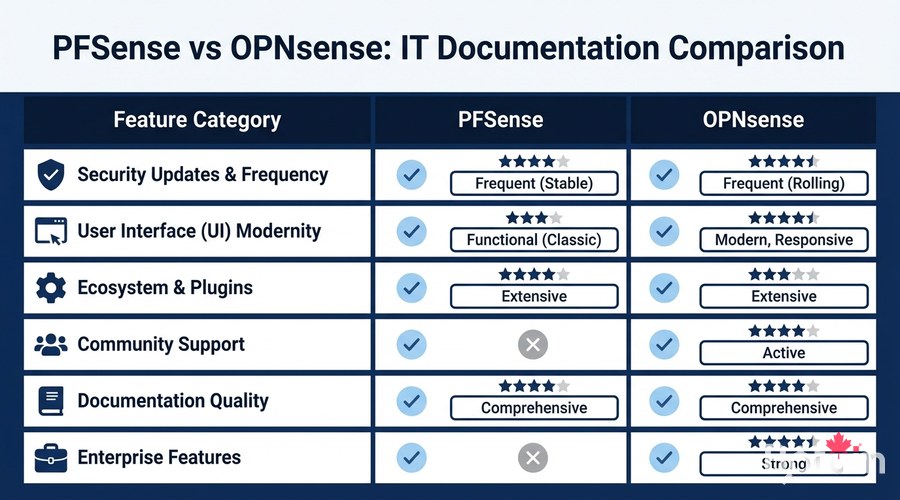
Interface and User Experience
- OPNsense: modern Bootstrap 4 design, responsive, logical navigation, native dark mode
- PFSense: functional but dated interface (some parts dating back to 2004)
- OPNsense: better menu organization (more intuitive for new admins)
- PFSense: more community documentation (due to its age and larger user base)
- Both: accessible via HTTPS, self-signed certificate by default (replace with Let's Encrypt)
Security and Updates
# OPNsense — weekly updates via CLI
opnsense-update -u  # Update packages
opnsense-update    # Update firmware

# PFSense — less frequent updates
# System → Update → System Update- OPNsense: weekly security patches, fast CVE response time
- PFSense CE: less frequent updates since Netgate acquisition
- OPNsense: LibreSSL by default (vs OpenSSL in PFSense) — stricter security posture
- OPNsense: Faire Security audit (2019, 2022) — results publicly published
- PFSense+ (paid): better security support than the free CE version
Firewall Rule Configuration
# OPNsense REST API — create IoT VLAN isolation rule
curl -s -u admin:your_password   -H 'Content-Type: application/json'   -X POST https://192.168.1.1/api/firewall/filter/addRule   -d '{
    "rule": {
      "enabled": "1",
      "action": "block",
      "interface": "opt1",
      "ipprotocol": "inet",
      "protocol": "any",
      "source_net": "opt1 net",
      "destination_net": "lan",
      "description": "Block IoT to LAN"
    }
  }' --insecure
Plugins and Ecosystem
# OPNsense — install plugins via CLI
pkg install os-wireguard    # WireGuard VPN (official)
pkg install os-crowdsec     # CrowdSec IDS/IPS
pkg install os-haproxy      # Load balancer
pkg install os-acme         # Let's Encrypt certificates
pkg install os-zerotier     # ZeroTier overlay VPN

# PFSense — Package Manager
# System → Package Manager → Available Packages
# pfBlockerNG: excellent for DNS/GeoIP blocking
# Suricata / Snort: IDS/IPS
High Availability with CARP
# OPNsense CARP configuration
# Interfaces → Virtual IPs → Add
# Type: CARP
# Interface: WAN or LAN
# VHID: unique identifier (1-255)
# Advertising frequency: 1 (primary), 2 (secondary)

# State synchronization:
# Interfaces → CARP Settings
# Synchronize Config to IP: secondary node IP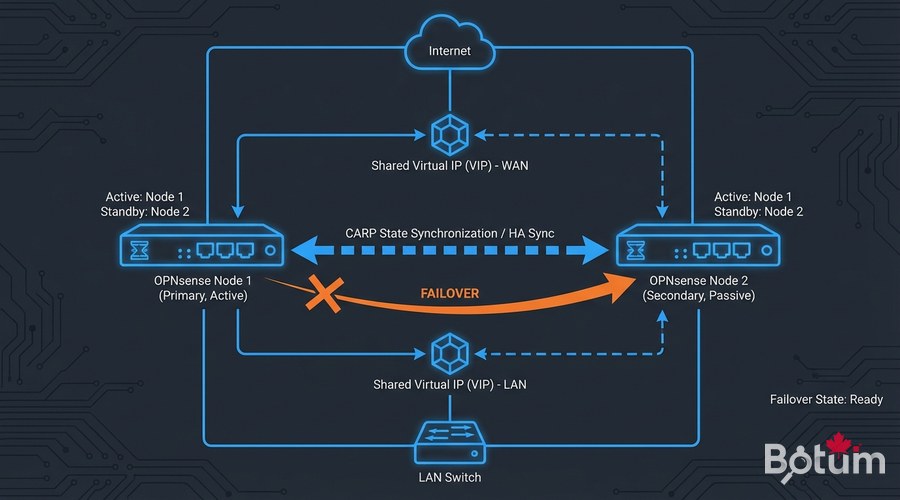
My Field Verdict
- Choose OPNsense if: you're starting a new project, you value security and frequent updates, you prefer a modern interface
- Choose PFSense if: you have existing PFSense infrastructure, you rely heavily on pfBlockerNG, your team already knows PFSense
- PFSense+ (paid) if: you need commercial Netgate support
- For SMEs without a dedicated network team: OPNsense, more intuitive
- For migrations from Cisco/Juniper: both handle it equally well
💡 Tip: When in doubt, deploy OPNsense in a VM (Proxmox, VirtualBox) and test for 30 days before migrating to production. The PFSense → OPNsense migration is well-documented.
Next Steps
- Configure VLAN segmentation on your new firewall (dedicated guide on this blog)
- Enable Suricata or CrowdSec for intrusion detection
- Configure the integrated WireGuard VPN for remote access
- Set up email/Telegram alerts for critical security events
- Schedule automatic configuration backups
Téléchargez ce guide en PDF pour le consulter hors ligne.
⬇ Télécharger le guide (PDF)🚀 Aller plus loin avec BOTUM
Ce guide couvre les bases. En production, chaque environnement a ses spécificités. Les équipes BOTUM accompagnent les organisations dans le déploiement, la configuration avancée et la sécurisation de leur infrastructure. Si vous avez un projet, parlons-en.
Discuter de votre projet →
