
WireGuard VPN and LTE Failover with OPNsense: Remote Access and Network Resilience
How to deploy WireGuard VPN on OPNsense for secure remote access and configure automatic LTE failover (SD-WAN) with a 4G/5G USB dongle. Complete guide: site-to-site tunnel, remote workers, Gateway Groups.
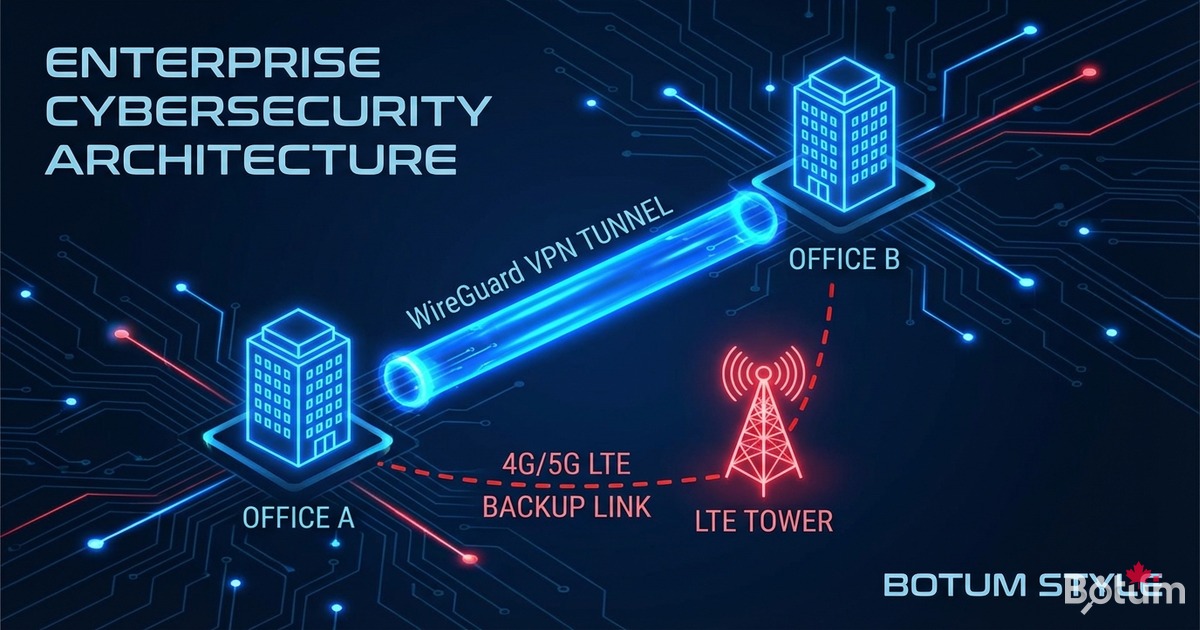
On my BOTUM infrastructure, WireGuard has been the go-to VPN since OPNsense integrated it natively into the kernel. This guide covers the complete deployment: site-to-site tunnel, mobile remote worker access, and automatic LTE failover for full network resilience.
This post is part of the OPNsense Enterprise Stack series. See Post 1: Install OPNsense in Proxmox and Post 2: VLANs & Zero Trust before starting.
Why WireGuard Over OpenVPN in 2026?
I've been using WireGuard since OPNsense integrated it natively in version 21.7. The comparison is clear:
- Performance: WireGuard runs in the BSD kernel — 3 to 5× faster than OpenVPN user-space.
- Latency: Handshake in ~100ms vs 1-2 seconds for OpenVPN TLS.
- Minimal code: 4,000 lines vs 70,000+ for OpenVPN — reduced attack surface.
- Modern cryptography: ChaCha20, Poly1305, Curve25519.
- Transparent roaming: IP change without disconnection — ideal for remote workers.
- Simple config: one flat file, one key pair.
Prerequisites
- Post 1: OPNsense installed in Proxmox — see the guide
- Post 2: VLANs and Zero Trust configured — see the guide
- UDP port 51820 open inbound on WAN
- Public IP or dynamic DNS for the WireGuard server
- For LTE failover: 4G/5G USB dongle recognized by OPNsense (e.g. Huawei E3372)
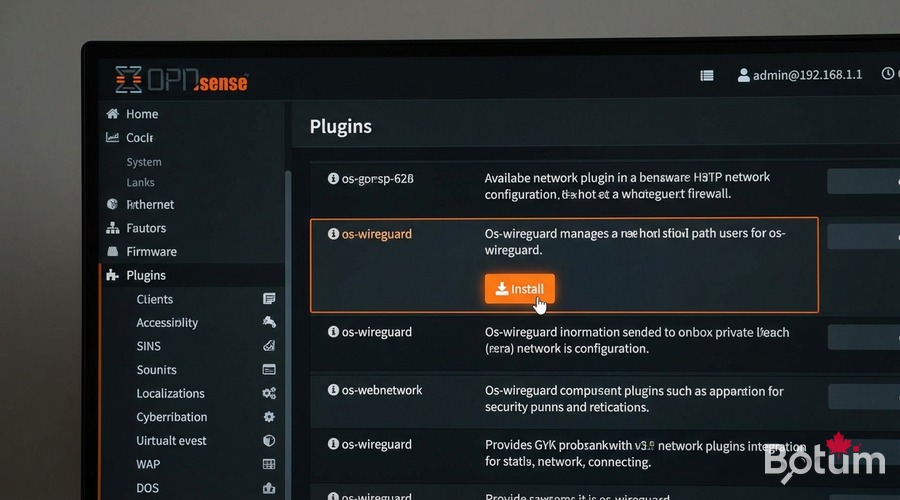
Install the WireGuard Plugin in OPNsense
# WebUI: System > Firmware > Plugins
# Search: os-wireguard
# Click [+] to install

# After installation, reboot OPNsense:
# Power > Reboot

# Post-reboot verification:
# VPN > WireGuard should appear in the menu
WireGuard Site-to-Site Tunnel (Office ↔ Datacenter)
# Generate keys on both nodes:
# On NODE A (office):
wg genkey | tee /tmp/nodeA.private | wg pubkey > /tmp/nodeA.public

# On NODE B (datacenter):
wg genkey | tee /tmp/nodeB.private | wg pubkey > /tmp/nodeB.public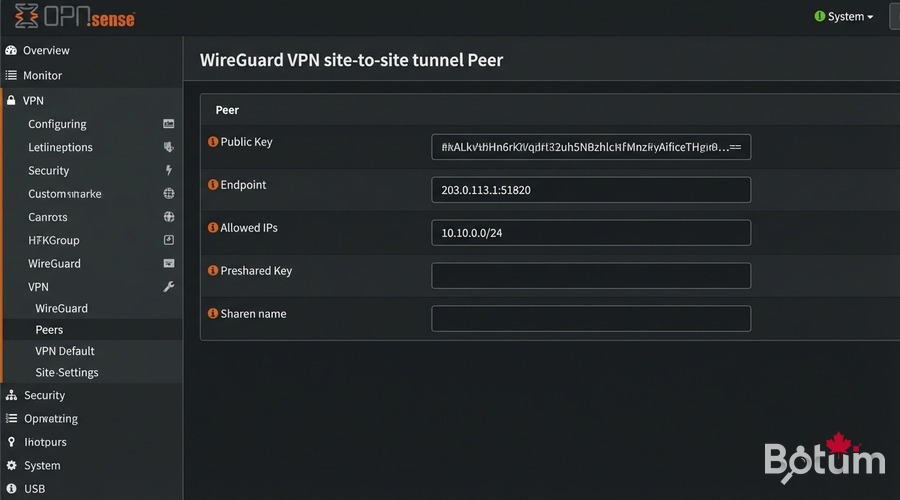
# VPN > WireGuard > Local > Add
# Name: wg-site-a-site | Listen port: 51820
# Tunnel address: 10.10.0.1/24

# VPN > WireGuard > Peers > Add
# Name: datacenter-nodeB
# Public key: (Node B public key)
# Endpoint: NODE_B_PUBLIC_IP:51820
# Allowed IPs: 10.10.0.0/24, 192.168.20.0/24

# Interfaces > Assignments > Add wg0
# IPv4: 10.10.0.1/24 | Enable: ✓

# Firewall > Rules > WG_SITE2SITE
# Action: Pass | Source: WG_SITE2SITE net | Dest: any
Remote Worker Access (Mobile Client)
For remote workers on my BOTUM infrastructure, each device has its own key pair. No shared keys — each revocation is granular.
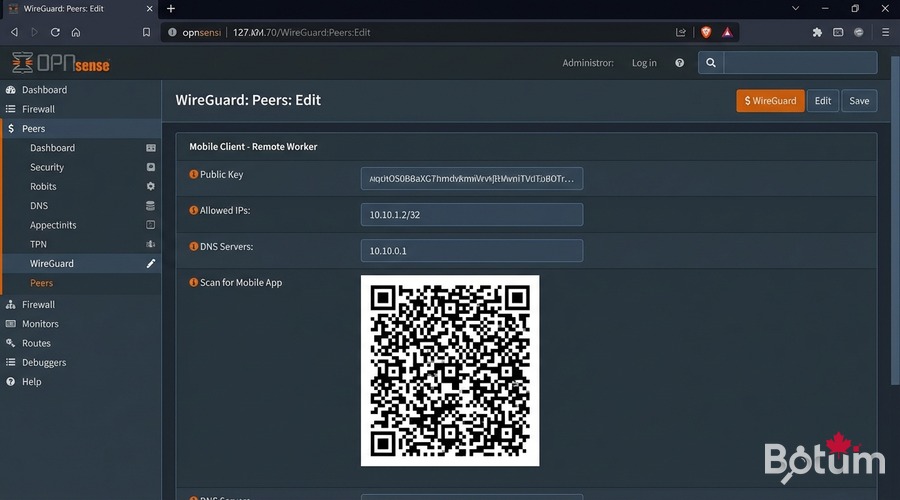
# VPN > WireGuard > Peers > Add
# Name: remote-worker-alice
# Public key: (Alice's device public key)
# Allowed IPs: 10.10.1.2/32 | Keep alive: 25

# Mobile config (WireGuard iOS/Android):
# [Interface]
# PrivateKey = <private key generated on mobile>
# Address = 10.10.1.2/32
# DNS = 10.10.0.1
#
# [Peer] ← OPNsense server
# PublicKey = <OPNsense public key>
# Endpoint = MY_PUBLIC_IP:51820
# AllowedIPs = 0.0.0.0/0
# PersistentKeepalive = 25

# QR code: VPN > WireGuard > Peers > QR icon
SD-WAN: Configure Automatic LTE Failover
On my BOTUM infrastructure, the 4G/5G dongle is plugged into USB on the Proxmox node hosting OPNsense. OPNsense automatically sees it as a secondary WAN interface.
# Verify USB dongle detection:
# System > Diagnostics > Shell
dmesg | grep -i 'ue0|umb|urndis'

# Interfaces > Assignments
# Add ue0 → Description: WAN2_LTE
# IPv4: DHCP | Block private networks: ✓

# System > Gateways > Groups > Add
# Group Name: WAN_FAILOVER
# WAN_DHCP → Tier 1 (primary)
# WAN2_LTE_DHCP → Tier 2 (backup)
# Trigger level: Packet Loss or High Latency

# Firewall > Rules > LAN
# Edit 'Default LAN to any' rule
# Gateway: WAN_FAILOVER
# Save & Apply Changes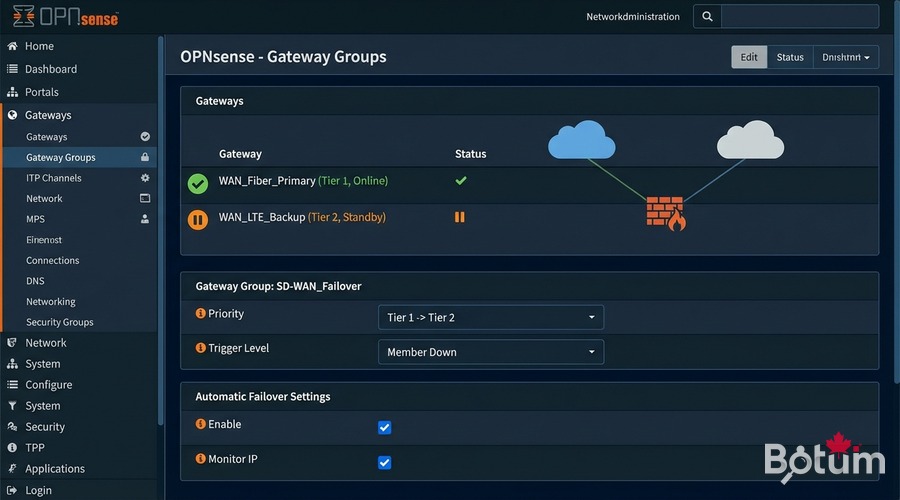
Test WAN → LTE Failover
# From a LAN client — start continuous ping:
ping 8.8.8.8

# Simulate WAN outage:
# Interfaces > WAN > Edit > Uncheck 'Enable'
# Save & Apply Changes

# Observe:
# - ~30s switchover (a few dropped packets)
# - Ping resumes via WAN2_LTE
# - System > Gateways: WAN_DHCP=offline, WAN2_LTE_DHCP=online

# Verify public IP:
curl -s ifconfig.me  # Shows your LTE carrier IP

# Restore WAN:
# Interfaces > WAN > Re-enable → traffic returns to WAN1 automatically
Next Steps
WireGuard is operational and LTE failover protects your connectivity. The rest of the series:
- Post 4: WiFi by VLAN — APs, segmented SSIDs, 802.1Q trunking
- Post 5: CrowdSec + fail2ban — collaborative IDS/IPS
- Post 6: Monitoring & alerts — Uptime Kuma, Grafana
Téléchargez ce guide en PDF pour le consulter hors ligne.
⬇ Télécharger le guide (PDF)🚀 Aller plus loin avec BOTUM
Ce guide couvre les bases. En production, chaque environnement a ses spécificités. Les équipes BOTUM accompagnent les organisations dans le déploiement, la configuration avancée et la sécurisation de leur infrastructure. Si vous avez un projet, parlons-en.
Discuter de votre projet →
