
OPNsense Hub: 18 Guides for Enterprise Network Infrastructure
Entry point for the BOTUM OPNsense series — 18 guides to deploy a complete enterprise network infrastructure: firewall, Zero Trust VLANs, WireGuard, Suricata IDS/IPS, Grafana, CARP HA, Wazuh SIEM, Ansible as Code.
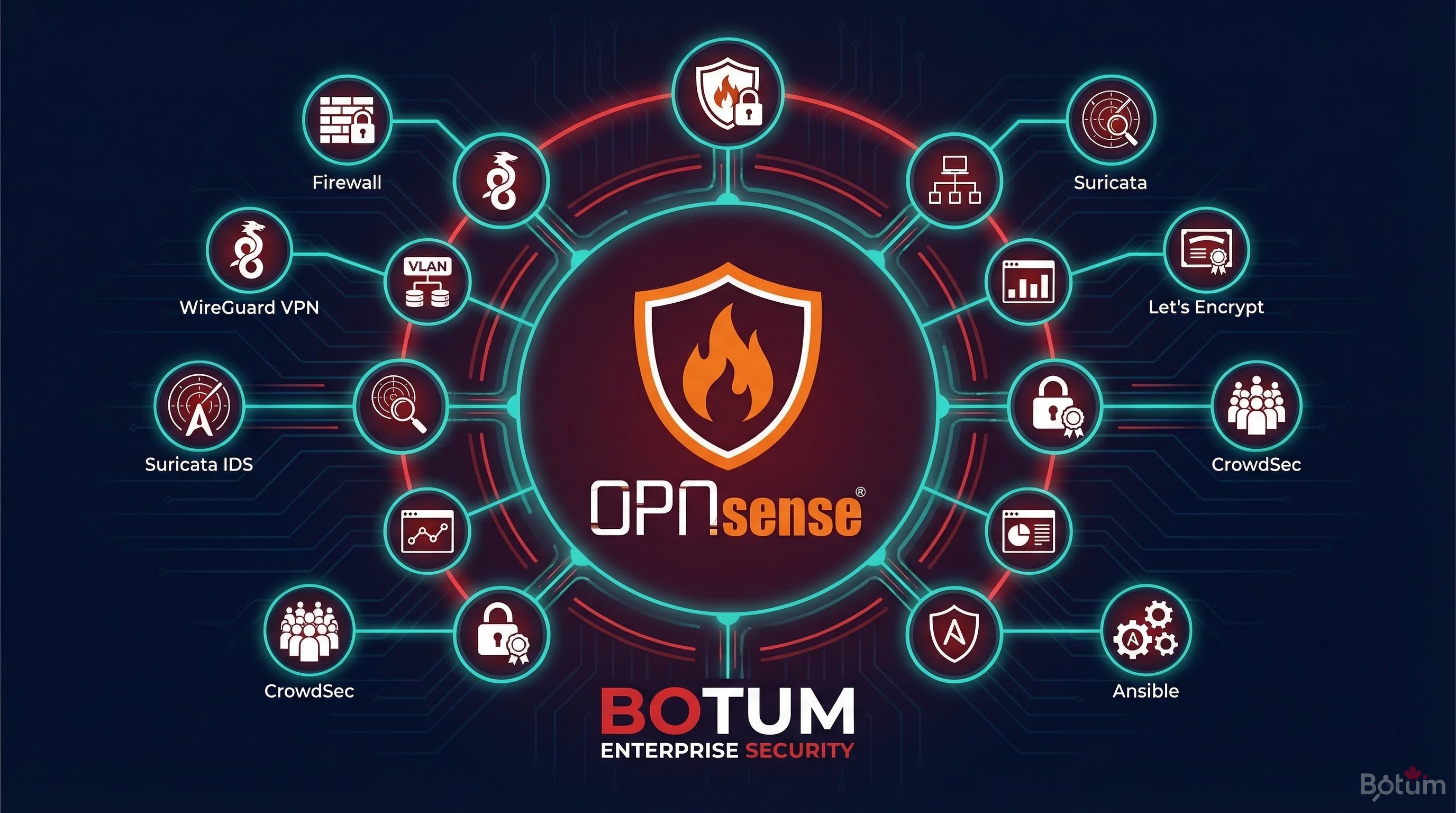
OPNsense is not just an open source firewall. It's a complete enterprise network platform — and this 18-guide series documents how to deploy it from scratch in a production environment.
1. Why OPNsense in 2026?
The enterprise firewall market is dominated by a few proprietary players: Fortinet, Cisco ASA, Palo Alto, Check Point. These solutions offer robust features — but at a licensing, maintenance, and vendor dependency cost that's increasingly difficult to justify for most organizations.
Meanwhile, the FreeBSD/pfSense family long represented the open source reference alternative. Then came the OPNsense fork in 2015 — with a different philosophy: modern interface, weekly updates, native REST API, and an open security-focused roadmap.
Why OPNsense over alternatives in 2026?
- vs pfSense: More modern interface, integrated REST API, more frequent updates, better plugin integration (CrowdSec, Suricata, Zenarmor). pfSense remains solid but OPNsense has clearly taken the innovation lead.
- vs Fortinet FortiGate: OPNsense offers 80% of the features at 0% of the licensing cost. In return, FortiGate provides guaranteed enterprise support and an integrated ecosystem (FortiAnalyzer, FortiManager). Choice depends on context and budget.
- vs Cisco ASA: The ASA is being phased out — Cisco is pushing toward Firepower/FTD. OPNsense is a coherent alternative for SMBs that don't want to lock into the full Cisco ecosystem.
- vs cloud solutions (AWS Security Groups, Azure Firewall): OPNsense is on-premise or VM — no cloud dependency, full traffic visibility, predictable costs.
According to an IDC 2025 study, 43% of SMBs with 50–500 employees are looking to reduce network licensing costs by 2027. OPNsense directly addresses this pressure.
2. What This Series Covers
These 18 guides follow a logical progression — from the initial choice to advanced traffic observability. Each guide stands alone but forms a coherent whole when followed in order.
The series covers the complete lifecycle of an enterprise OPNsense infrastructure:
- Phase 1 — Evaluation and Deployment (B1-B4): pfSense/OPNsense comparison, self-hosted SD-WAN, enterprise security stack on Proxmox, complete installation
- Phase 2 — Network Segmentation and Access (B5-B7): VLANs with Zero Trust model, WireGuard VPN with LTE failover, WiFi AP management
- Phase 3 — Detection and Protection (B8-B11): CrowdSec + fail2ban IDS/IPS, NAC FreeRADIUS 802.1X, Suricata DPI, AdGuard DNS over HTTPS
- Phase 4 — Observability and Resilience (B12-B14): Grafana + InfluxDB monitoring, CARP high availability, Wazuh SIEM
- Phase 5 — Automation and Maintenance (B15-B18): Ansible Infrastructure as Code, automated backup, Let's Encrypt ACME, NetFlow + ntopng
3. The 18-Step Progression
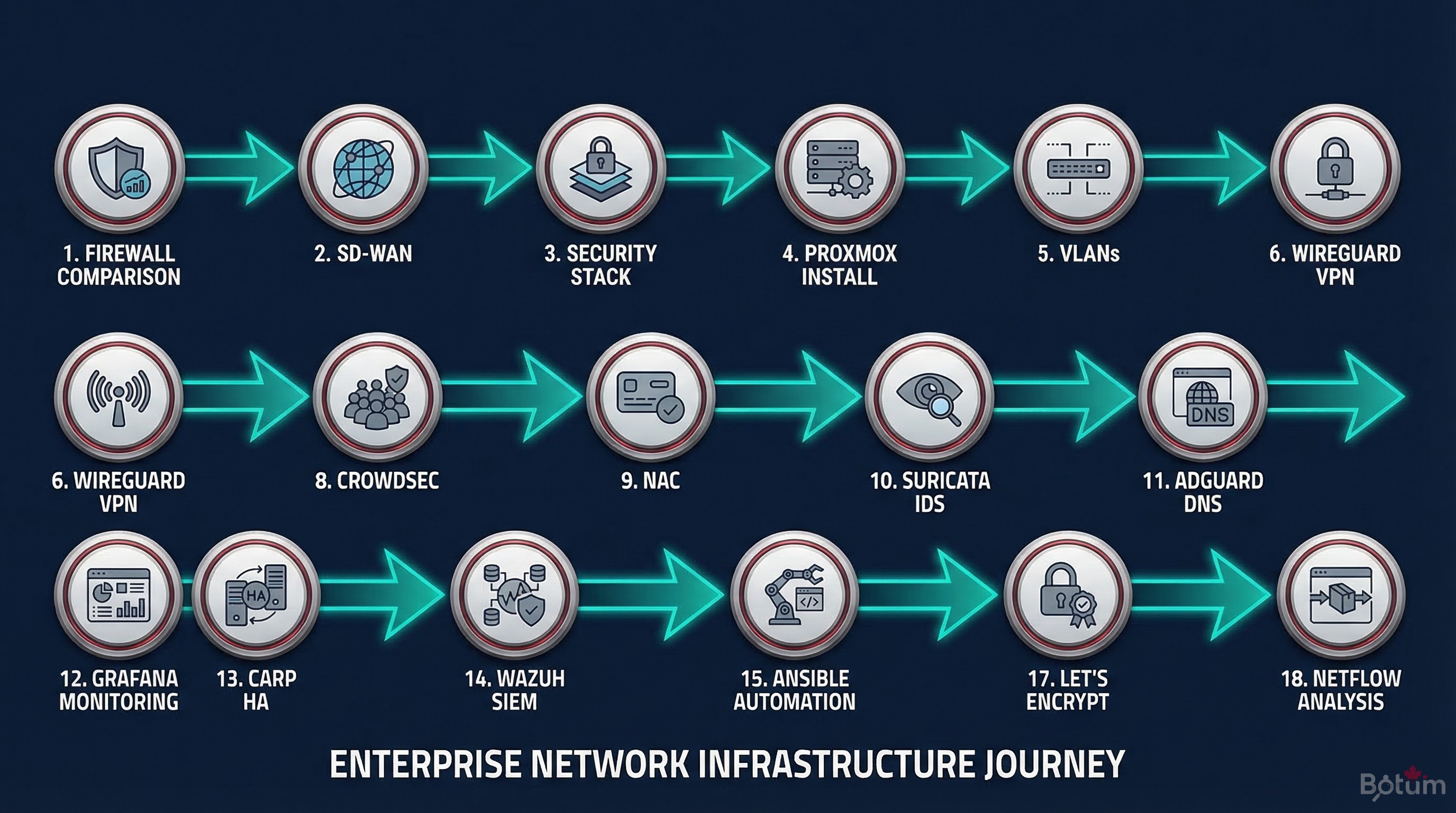
The construction logic is deliberate: don't deploy Suricata before segmenting the network into VLANs, and don't configure CARP high availability before having a stable, tested firewall. Each step builds the foundation for the next.
From Initial Comparison to Installation (B1-B4)
The first two guides establish the strategic context: pfSense vs OPNsense analyzes functional differences, philosophy, and roadmap — to enable an informed choice. DIY SD-WAN shows how to build a resilient multi-WAN infrastructure with WireGuard without paying proprietary SD-WAN licensing fees.
The third guide presents the complete security stack overview — OPNsense at the center, Proxmox as the hypervisor, and all the components that plug into it. The fourth guide is the step-by-step installation guide in Proxmox.
Network Segmentation and Access (B5-B7)
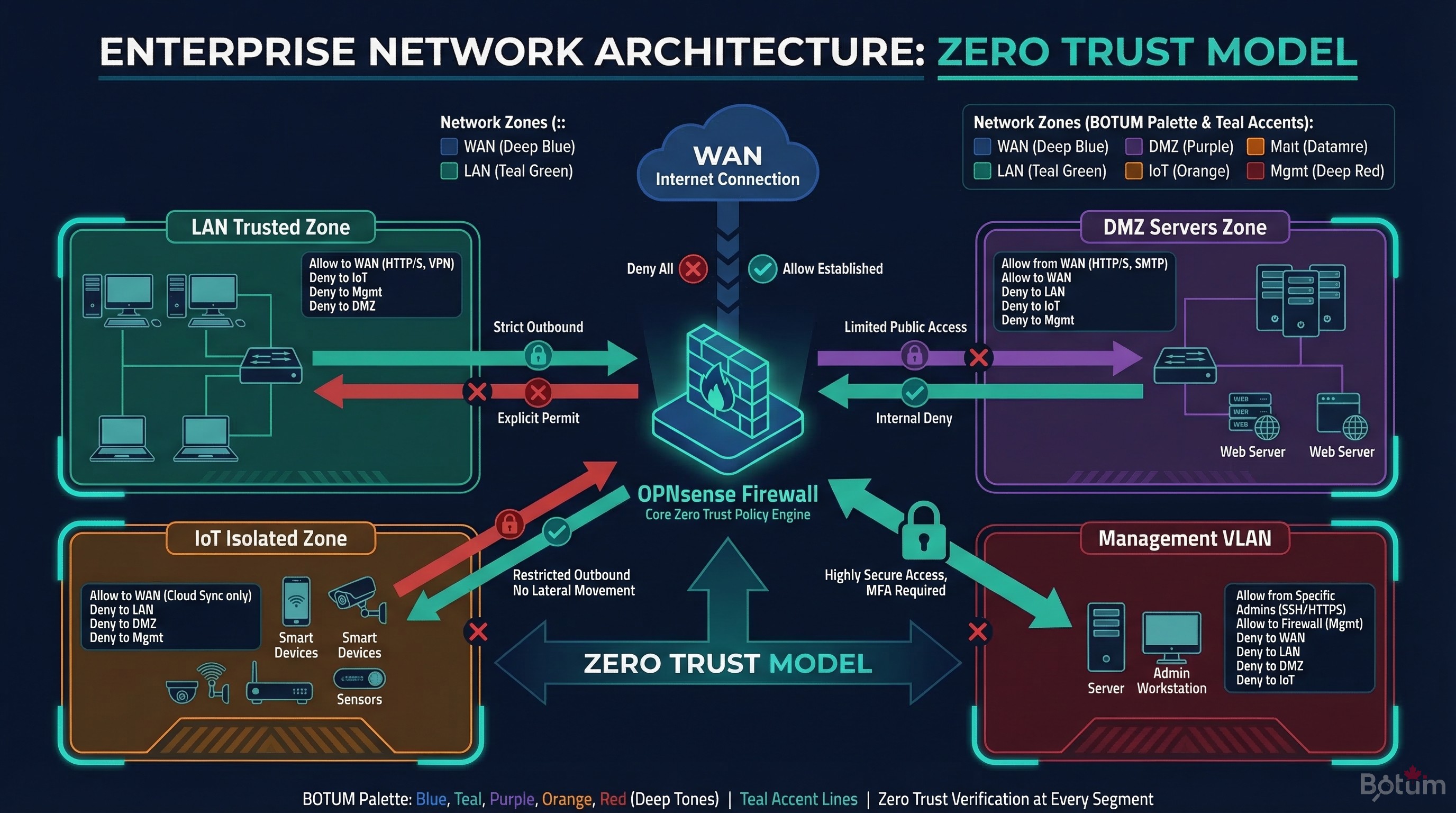
Segmentation into VLANs with a Zero Trust model is foundational: it isolates zones (servers, IoT, guest WiFi, management) and defines inter-zone traffic rules. WireGuard VPN with LTE failover extends this model to remote access and WAN connectivity resilience.
WiFi AP management (UniFi/OpenWRT) integrates into existing VLANs to apply the same security policy to wireless traffic.
Multi-Layer Detection and Protection (B8-B11)
The detection layer combines CrowdSec (collective threat intelligence), Suricata IDS/IPS (DPI traffic analysis), and NAC FreeRADIUS 802.1X (device authentication on the wired network). AdGuard Home adds DNS filtering and DNS-over-HTTPS encryption.
Monitoring, HA, and SIEM (B12-B14)
Grafana + InfluxDB provides real-time visibility on OPNsense metrics (throughput, connections, rules). CARP ensures high availability with automatic failover between two OPNsense instances. Wazuh SIEM centralizes all security logs for correlation and alerting.
As Code, Maintenance, and Compliance (B15-B18)
Ansible allows versioning and replaying the entire OPNsense configuration. Automated backup protects against configuration errors. Let's Encrypt ACME automates TLS certificates. NetFlow + ntopng closes the series with advanced traffic analysis for anomaly detection and flow optimization.
4. Index of 18 Guides
📚 The 18 Guides in the OPNsense Series
- pfSense vs OPNsense — the comparison
- DIY SD-WAN with WireGuard + OPNsense
- Enterprise Security Stack on Proxmox
- Install OPNsense in Proxmox
- VLANs & Zero Trust
- WireGuard VPN + LTE failover
- WiFi & AP Management
- CrowdSec + fail2ban IDS/IPS
- NAC FreeRADIUS 802.1X
- Suricata IDS/IPS & DPI
- AdGuard Home + DNS over HTTPS
- Grafana + InfluxDB Monitoring
- CARP High Availability
- Wazuh SIEM — Log Centralization
- OPNsense as Code with Ansible
- Automated Config Backup
- Let's Encrypt & ACME
- NetFlow + ntopng — Traffic Analysis
5. Who Is This Series For?
These guides are written for technical teams — network administrators, systems architects, SMB CTOs — who want to deploy enterprise-grade network infrastructure without expensive proprietary licensing dependencies.
The prerequisite level is intermediate: familiarity with Linux, basic networking concepts (IP, routing, VLAN, VPN), and virtual machine administration. Each guide explains the why before the how — not just a list of commands to copy-paste.
The architectures described are those BOTUM teams deploy in production for clients. The series is not theoretical: every configuration presented has been validated in real environments.
🚀 Deploy Your OPNsense Infrastructure with BOTUM
These 18 guides cover the essentials of enterprise network infrastructure. In production, every environment has its constraints — sizing, HA, compliance, SIEM integration. BOTUM teams guide you from initial audit to production deployment.
Talk to a BOTUM Expert →📄 Download the Complete Guide as PDF
The OPNsense series hub in PDF format — index of all 18 guides, reference architecture, and deployment roadmap.
Download PDF →
