
High Availability with OPNsense and CARP: Active/Passive Pair with Zero Downtime
Configure an OPNsense active/passive pair with CARP, pfsync and XMLRPC Config Sync on Proxmox. Automatic failover in under 3 seconds, zero-downtime upgrades, integrated Grafana monitoring — enterprise high availability at zero cost.
What is CARP?
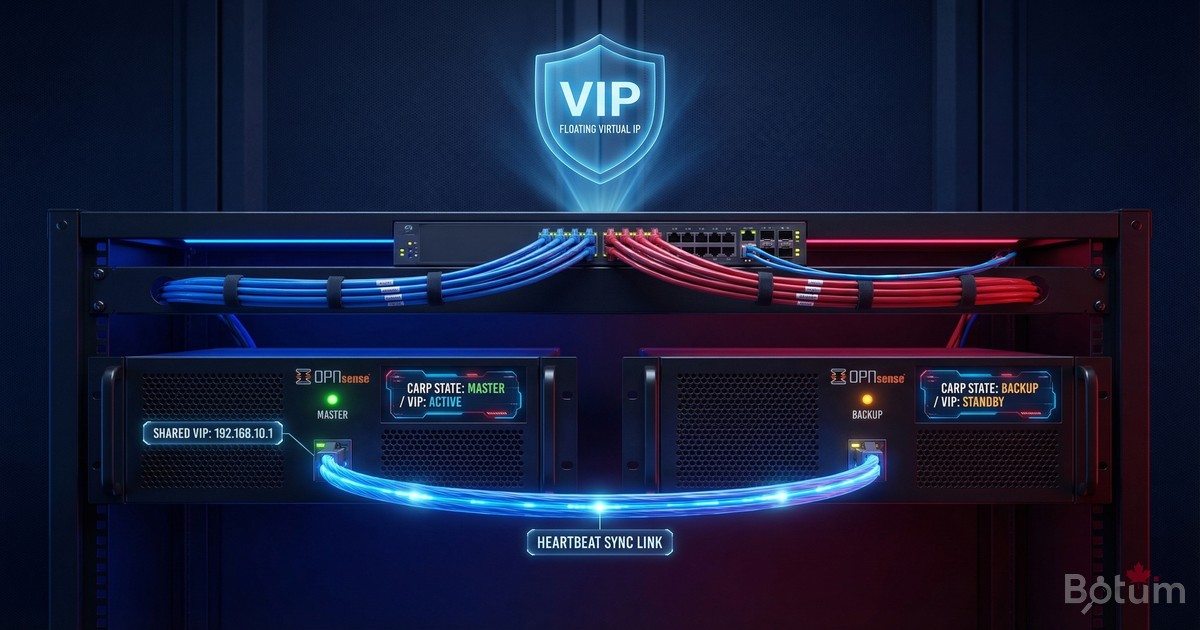
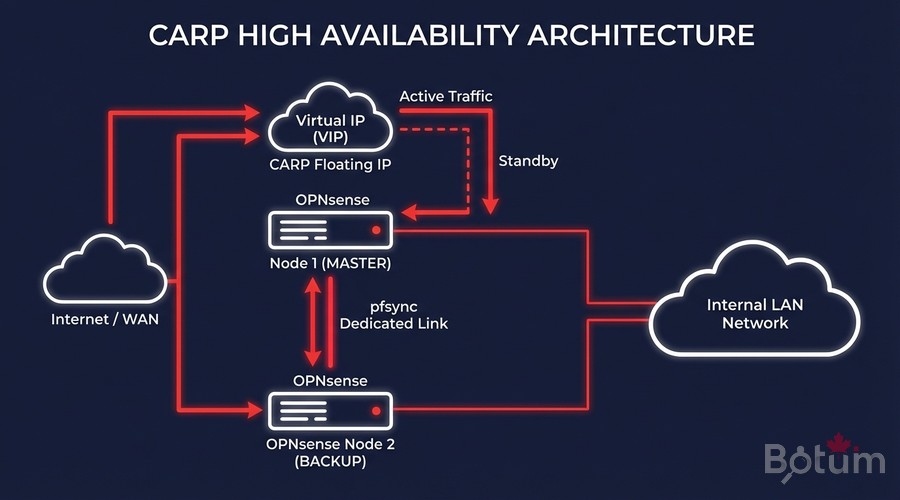
CARP (Common Address Redundancy Protocol) is a network protocol that allows multiple machines to share a virtual IP address (VIP). Originally developed for OpenBSD and natively integrated in OPNsense, CARP ensures firewall high availability: if the master node fails, the standby node takes over within seconds, completely transparently to active connections.
In my BOTUM infrastructure, CARP solves three concrete problems:
- Zero-downtime upgrades: fail over to backup, upgrade master, fail back — no interruption for clients.
- Failure resilience: Proxmox VM crash, OPNsense crash, network outage — automatic failover in under 3 seconds.
- Planned maintenance: clean master shutdown, backup takes over, maintenance window with zero SLA impact.
Prerequisites: 2 OPNsense VMs on Proxmox
- 2 identical OPNsense VMs on Proxmox (same version, same base configuration)
- 3 network interfaces per VM: WAN, LAN, and SYNC (pfsync)
- A dedicated switch or VLAN for the synchronization link
- SSH access to both nodes
- Same OPNsense version on both nodes (mandatory for config sync)
Recommended Network Architecture
# OPNsense-1 (MASTER)
# - vtnet0 : WAN  → IP: 203.0.113.2/28 (real)
# - vtnet1 : LAN  → IP: 192.168.1.1/24 (real)
# - vtnet2 : SYNC → IP: 192.168.254.1/30

# OPNsense-2 (BACKUP)
# - vtnet0 : WAN  → IP: 203.0.113.3/28 (real)
# - vtnet1 : LAN  → IP: 192.168.1.2/24 (real)
# - vtnet2 : SYNC → IP: 192.168.254.2/30

# Shared CARP VIPs (clients use these IPs)
# - WAN VIP : 203.0.113.4/28  (VHID 1)
# - LAN VIP : 192.168.1.254/24 (VHID 2)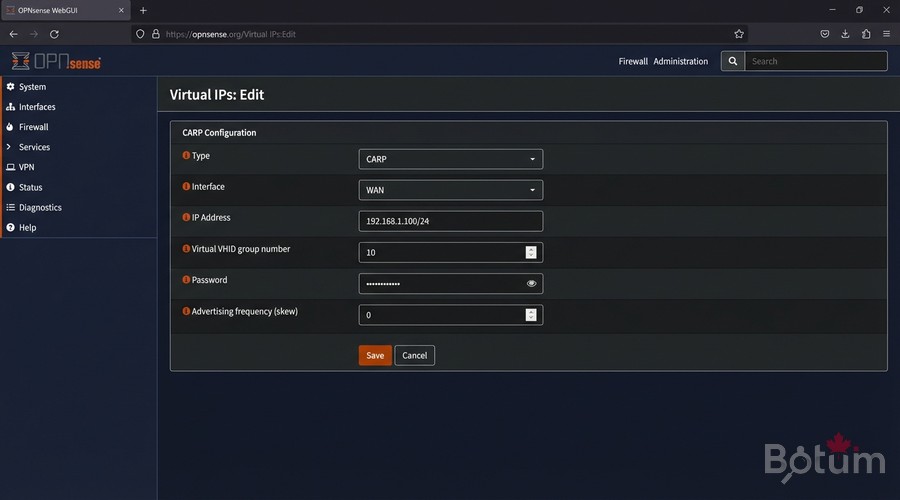
Configure CARP VIPs
Create WAN VIP on MASTER
In OPNsense MASTER: Interfaces > Virtual IPs > Settings > Add
Type         : CARP
Interface    : WAN
IP Address   : 203.0.113.4 / 28
Virtual VHID : 1
VHID Password: MyCarpPassword2026
Advertising frequency - Base : 1
Advertising frequency - Skew : 0   <- 0 = MASTER (high priority)
Description  : WAN-VIP-CARP
Create LAN VIP on MASTER
Type         : CARP
Interface    : LAN
IP Address   : 192.168.1.254 / 24
Virtual VHID : 2
VHID Password: MyCarpPassword2026
Advertising frequency - Base : 1
Advertising frequency - Skew : 0
Description  : LAN-VIP-CARP
Configure BACKUP (Skew 100)
On OPNsense-2 (BACKUP), create the same VIPs with Skew = 100:
# On OPNsense-2 (BACKUP) — same config, only skew changes:
# WAN VIP : VHID 1, Skew 100  <- 100 = BACKUP (low priority)
# LAN VIP : VHID 2, Skew 100

# CARP Priority Rules:
# - Skew 0   = high priority -> MASTER (active)
# - Skew 100 = low priority  -> BACKUP (standby)
# - Lower skew = higher priority node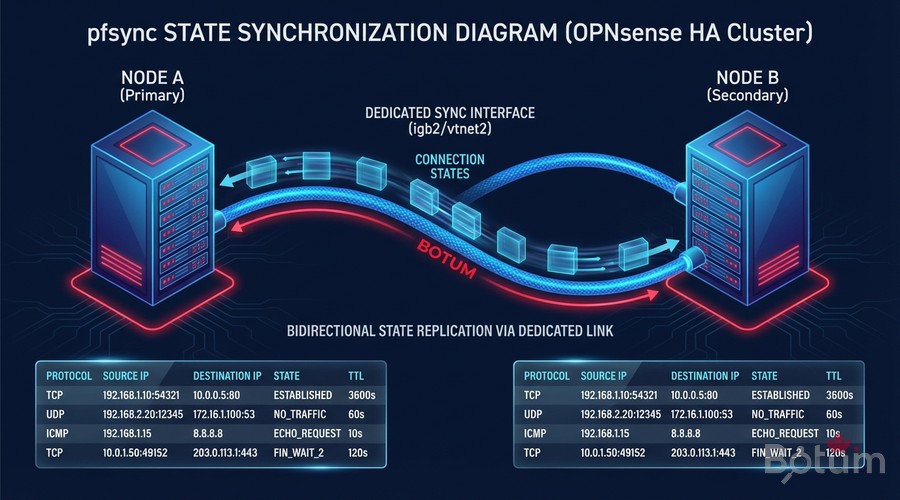
pfsync: Connection State Synchronization
pfsync synchronizes the firewall state tables between both nodes in real time. During failover, active TCP connections (SSH, HTTPS, WireGuard VPN tunnels) are not interrupted — the backup already knows all connection states thanks to pfsync.
Enable pfsync on MASTER
System > High Availability > Settings
# System > High Availability > Settings

[High Availability Sync]
+ Synchronize States (pfsync)
Synchronize Interface        : SYNC  (vtnet2)
pfsync Synchronize Peer IP   : 192.168.254.2  <- BACKUP SYNC IP

[Firewall]
+ Synchronize firewall rules
+ Synchronize NAT
+ Synchronize static routes
Enable pfsync on BACKUP
# System > High Availability > Settings (on BACKUP)

[High Availability Sync]
+ Synchronize States (pfsync)
Synchronize Interface        : SYNC  (vtnet2)
pfsync Synchronize Peer IP   : 192.168.254.1  <- MASTER SYNC IP
⚠️ The SYNC link must be isolated on a dedicated VLAN or network. Never route user traffic through this interface.
XMLRPC Config Sync
XMLRPC Config Sync automatically propagates OPNsense configuration from MASTER to BACKUP. Every change on the MASTER (new firewall rule, NAT entry, alias) is synchronized without manual intervention.
# System > High Availability > Settings

[Configuration Synchronization]
Synchronize Config to IP   : 192.168.254.2  <- BACKUP SYNC IP
Remote System Username     : root
Remote System Password     : BackupPassword2026

# Sections to synchronize (check all):
+ Aliases          + Auth Servers     + Certificates
+ DHCP Server      + DNS Resolver     + Firewall Rules
+ Gateways         + Interfaces       + NAT
+ OpenVPN/WireGuard + Routes          + Users and Groups
💡 After each change on the MASTER, click Save & Sync to immediately propagate to the BACKUP.
Testing Failover
Failover testing is mandatory before going to production. It validates that the backup takes over correctly and that connections survive.
Test 1: Graceful Failover
# Verify initial state:
# MASTER: CARP State = MASTER (VIPs active)
# BACKUP: CARP State = BACKUP (VIPs standby)

# Force MASTER to become BACKUP:
# System > High Availability > Forcefully become BACKUP

# BACKUP promotes to MASTER in ~2-3 seconds
Test 2: Hard Failure Simulation
# In Proxmox, power off OPNsense-1 (MASTER) VM:
# qm stop 100

# From a network client:
ping 203.0.113.4
# -> 1-2 packet losses maximum during failover
# -> Backup takes over in 1-3 seconds

# Verify on BACKUP:
# VIP WAN: MASTER | VIP LAN: MASTER  OK
Test 3: Active Connections Survive Failover
# Open an SSH session via the LAN VIP:
ssh admin@192.168.1.254

# Force failover while session is active
# SSH session MUST SURVIVE thanks to pfsync
# If SSH survives -> pfsync works correctly OK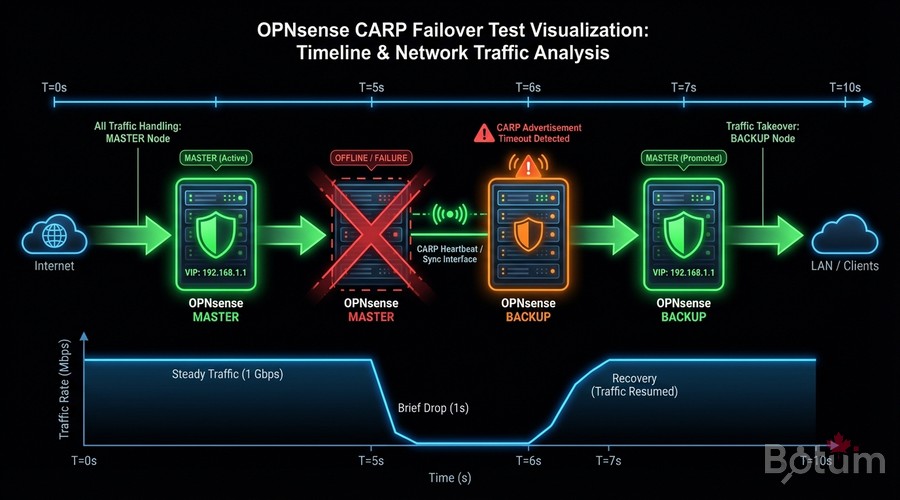
Production Use Cases: Zero-Downtime Operations
The primary value of CARP in my BOTUM infrastructure is the ability to perform maintenance without any downtime window.
Zero-Downtime OPNsense Upgrade Procedure
# Step 1: Verify BACKUP is healthy
# System > High Availability > Status
# BACKUP: CARP BACKUP, pfsync OK, config synced

# Step 2: Fail over traffic to BACKUP
# On MASTER: System > HA > Forcefully become BACKUP
# BACKUP becomes MASTER, takes all VIPs

# Step 3: Upgrade former MASTER (now BACKUP)
# System > Firmware > Updates > Upgrade
# -> Normal reboot, no traffic impact

# Step 4: Verify MASTER return
# -> Returns to BACKUP mode automatically
# -> Verify: state sync OK + config sync OK

# Step 5: Repeat for second node
# Result: Both nodes upgraded, 0 seconds downtime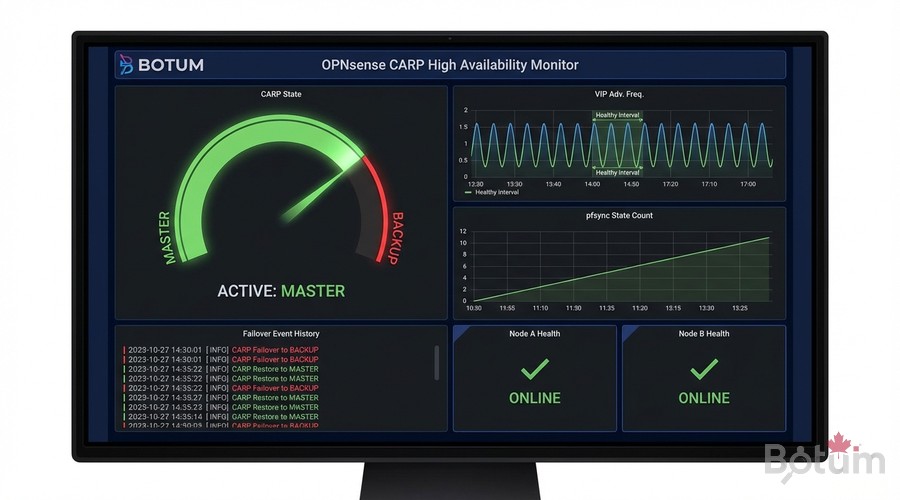
CARP Monitoring with Grafana
Building on Post 9 (Grafana + InfluxDB Monitoring), here is how to add CARP tracking to your existing dashboards.
Collect CARP Metrics via Telegraf
# In telegraf.conf — add CARP input:
[[inputs.http]]
  urls = ["http://192.168.1.254/api/diagnostics/interface/getVipStatus"]
  method = "GET"
  username = "telegraf_user"
  password = "YOUR-OPNSENSE-API-TOKEN"
  data_format = "json"
  name_suffix = "_carp"

# Grafana Flux query — CARP state:
from(bucket: "opnsense")
  |> range(start: -1h)
  |> filter(fn: (r) => r._measurement == "http_carp")
  |> filter(fn: (r) => r._field == "status" or r._field == "vhid")
Recommended Dashboard Panels
- Current CARP state (MASTER/BACKUP) for each VIP — Gauge with alert if INACTIVE
- Failover event history — Timeline/Log panel (each CARP state change)
- pfsync counter: states synchronized/second — Time series
- SYNC link latency — Gauge (alert if > 10ms)
- Total synchronized firewall states — Stat panel
Conclusion and Next Steps
You now have an active/passive high-availability OPNsense infrastructure with:
- ✅ CARP VIPs shared between MASTER and BACKUP
- ✅ pfsync for TCP/UDP connection continuity
- ✅ XMLRPC Config Sync for automatic configuration propagation
- ✅ Validated failover tests (graceful + hard failure)
- ✅ Integrated Grafana monitoring for real-time visibility
This stack gives you an enterprise-grade firewall with RTO < 3 seconds and RPO of 0 — no connections lost, no configurations out of sync.
🔗 Next post: SIEM Wazuh with OPNsense — Security Log Centralization and Real-Time Intrusion Detection.
🔗 Series Hub: OPNsense Enterprise Security Stack on Proxmox
Téléchargez ce guide en PDF pour le consulter hors ligne.
⬇ Télécharger le guide (PDF)🚀 Aller plus loin avec BOTUM
Ce guide couvre les bases. En production, chaque environnement a ses spécificités. Les équipes BOTUM accompagnent les organisations dans le déploiement, la configuration avancée et la sécurisation de leur infrastructure. Si vous avez un projet, parlons-en.
Discuter de votre projet →
