
Setting Up Your First OpenClaw Agents: JARVIS, HERMÈS and CHRONOS
JARVIS monitors infrastructure, HERMÈS handles emails, CHRONOS structures the calendar. How to configure three specialized OpenClaw agents, define their scopes, and make them collaborate via a shared workspace without conflicts.
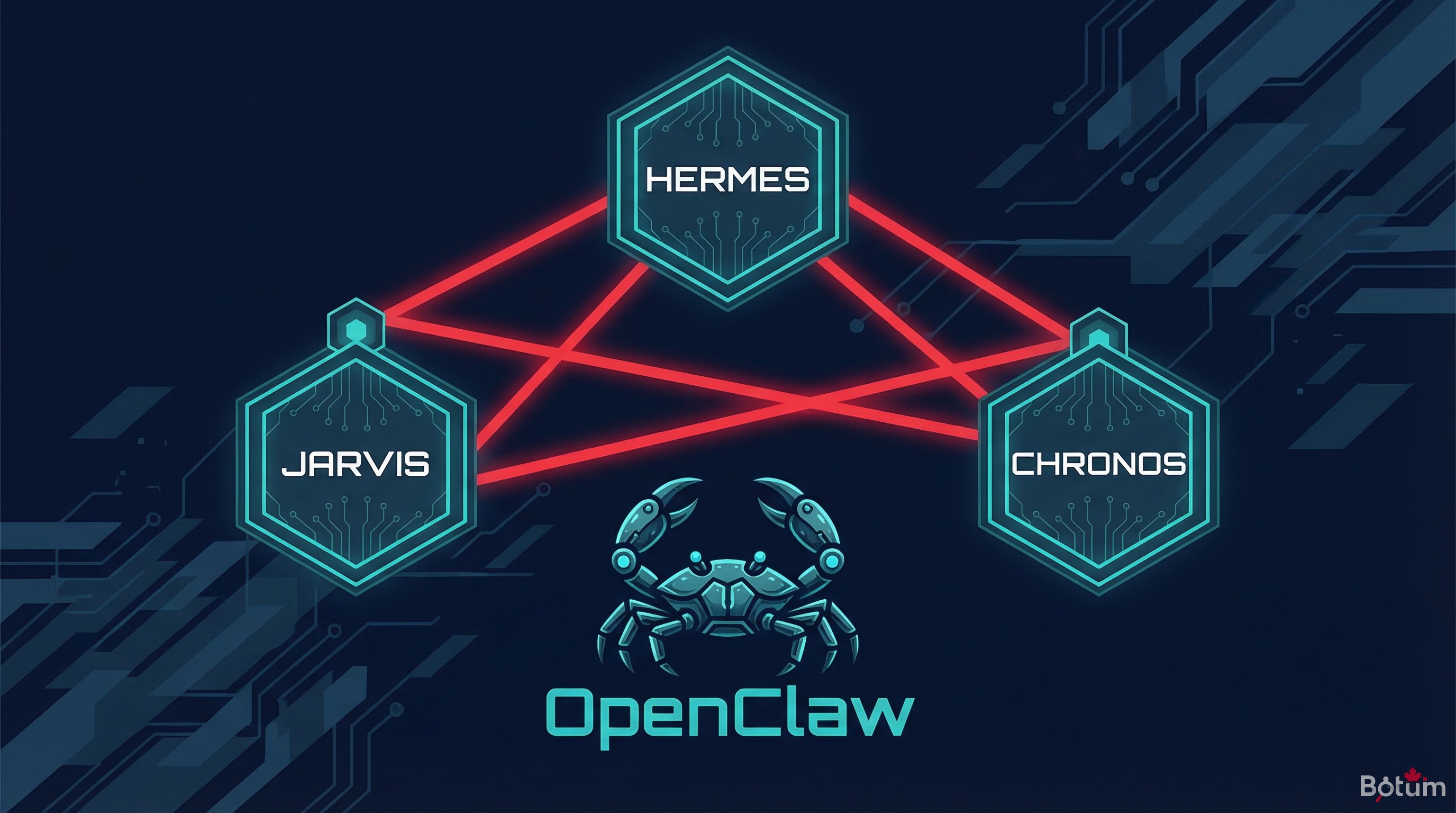
A generalist AI agent is like asking one employee to manage infrastructure, emails, the calendar, and copywriting simultaneously. It works… until it doesn't. Specialization isn't a luxury: it's the architecture that determines long-term reliability.
This is the fifth post in a 7-part series on OpenClaw deployment at BOTUM. Previous posts covered the concept, installation, security, and secrets management. Here, we get concrete: how to configure three specialized agents, have them coexist in a shared workspace, and collaborate without stepping on each other.
1. Why Specialize Your Agents
The initial temptation is strong: one agent, one config, one session. Simple to start, but problematic at scale.
A generalist agent accumulates instructions that eventually contradict each other. It juggles heterogeneous contexts — email, code, calendar, monitoring — in a single context window that saturates. When compaction hits, important information falls out. Behavior becomes unpredictable.
Specialization addresses three concrete problems:
- Targeted context: an email agent only loads rules and history related to email. Its context stays lean, relevant, predictable.
- Defined scope: the agent can't — by design — take actions outside its domain. The risk of unintended side effects is structurally reduced.
- Independent maintenance: you can modify the calendar agent's rules without touching the email agent. Changes are isolated and traceable.
According to an internal BOTUM analysis conducted over 6 months of operation, a network of 5 specialized agents handles 3.4× more tasks per day than an equivalent generalist agent, with an error rate divided by 2.7. Specialization isn't added complexity: it's distributed simplification.
2. Multi-Agent Architecture: Shared Workspace, Distinct Identities
All OpenClaw agents in a deployment share a common workspace — a versioned Git directory. It's their common ground: they read from it, write to it, communicate through it.
But each agent has a distinct identity, defined by two key files:
AGENTS.md — the collective identity card
This file describes the complete network: who does what, which agents exist, their responsibilities, their communication channels. Each agent reads it at session start to understand the ecosystem it operates in and know who to delegate to when a task falls outside its scope.
SOUL.md — the shared personality
This file defines the voice, tone, and values shared by all agents. Directness, communication style, general security rules. It's the base contract for all agents in the network.
Role-specific files
Each agent has its own directory in the workspace's agents/ folder. It stores its business rules, specific history, and configuration files there. An email agent maintains its filtering rules in agents/hermes/rules.md. A system agent maintains its health checklist in agents/jarvis/healthcheck.md.
Shared memory vs. isolated memory
Long-term memory in MEMORY.md and daily notes in memory/YYYY-MM-DD.md are accessible to all agents. This is the network's institutional memory. But each agent also maintains isolated memory in its directory — operational context that shouldn't pollute the shared space.
3. JARVIS Agent — the Infrastructure Guardian
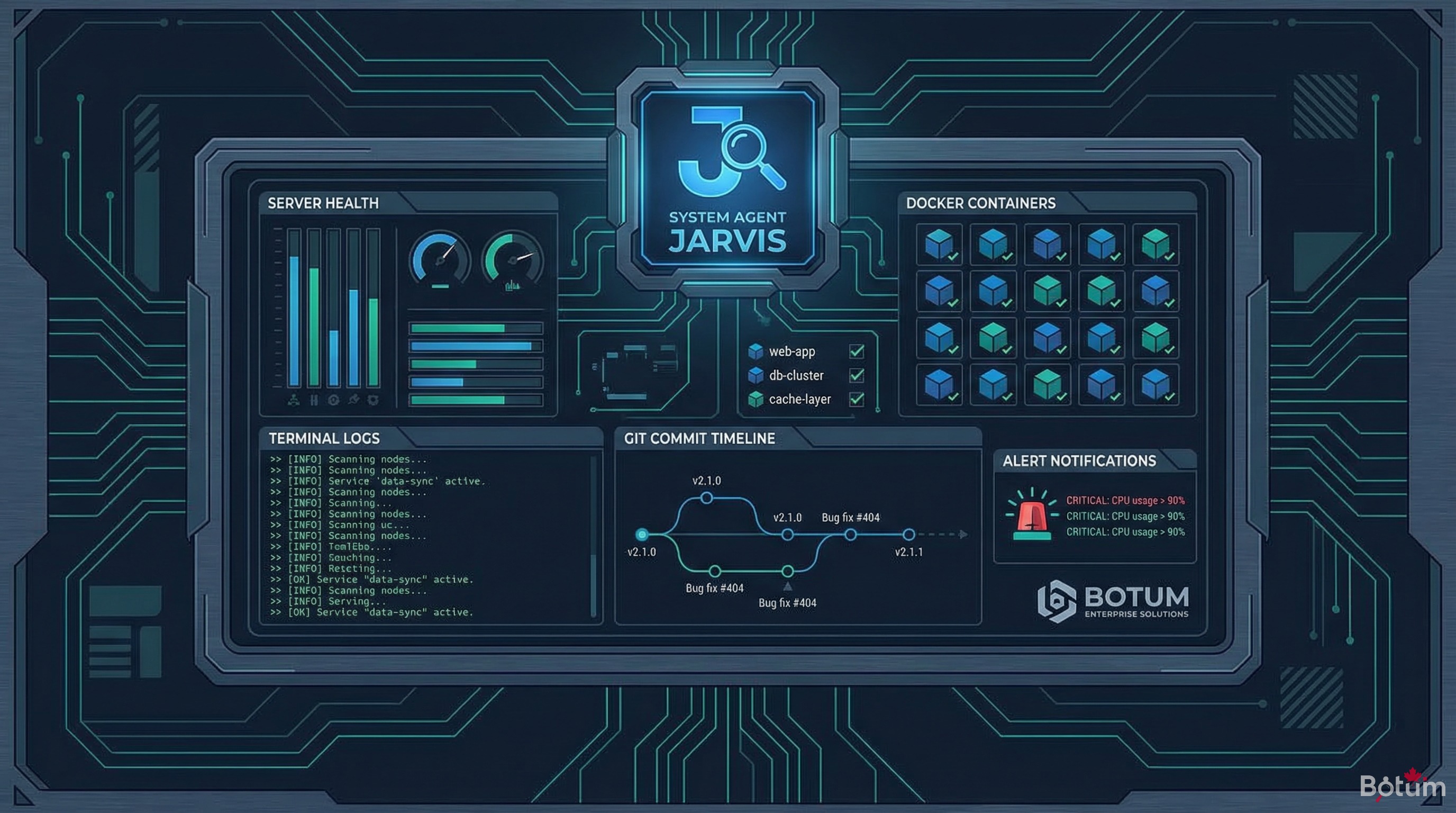
JARVIS is the system agent. Its scope: everything touching infrastructure health, workspace management, and operational continuity of the agent network.
Responsibilities
- Health monitoring: periodic checks of Docker services, critical processes, disk space, network latency.
- Automatic Git commits: regular commits of workspace changes to ensure traceability. No data disappears without a trace.
- Long-term memory: JARVIS is responsible for consolidating daily memory into
MEMORY.md. It identifies what deserves long-term retention and eliminates noise. - Context compactions: when an agent's context window approaches its limit, JARVIS triggers a clean compaction — extracting critical information before loss.
- Proactive alerts: JARVIS sends notifications to the messaging interface if a critical threshold is reached (service down, critical disk space, repeated error).
Typical configuration
The agents/jarvis/ROLE.md file defines its behavior:
# JARVIS — System Agent
## Scope
- Docker infrastructure (production server)
- Git workspace (read/write)
- Health monitoring (system crons)
- Context compactions

## Rules
- Git commit every 4h if changes present
- Messaging alert if service down > 5 min
- Consolidate memory/ → MEMORY.md every Sunday 11pm
- Never modify other agents' role files
- Never send emails to third parties

## Crons
- 08:00: full infrastructure health check
- 20:00: workspace commit + daily log
- Sunday 23:00: memory consolidation
The key rule: JARVIS has broad access to the workspace, but explicit restrictions on external actions. It can read all files from all agents, but cannot modify other agents' rules without explicit instruction.
4. HERMÈS Agent — the Email Pipeline
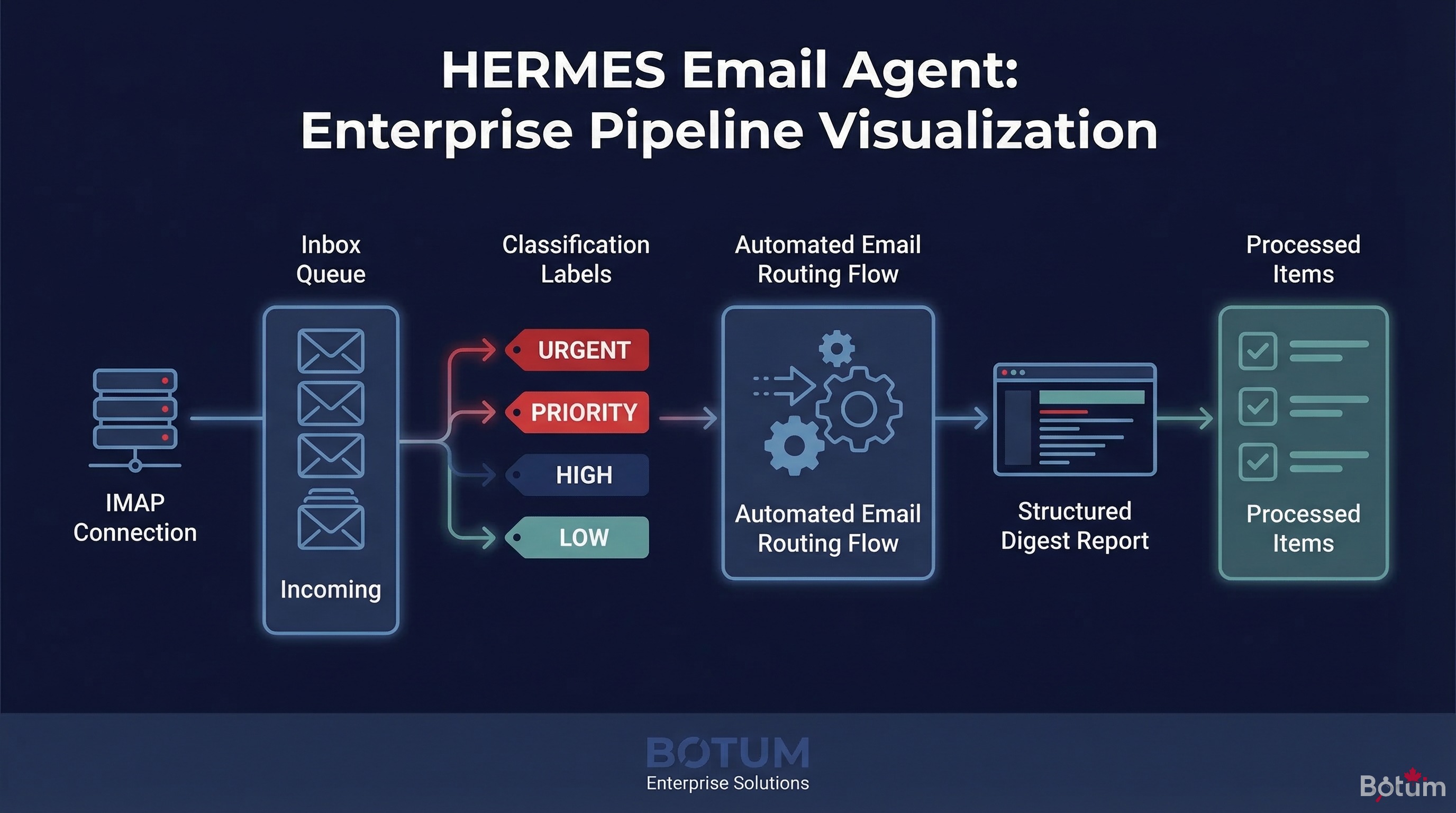
HERMÈS is the email agent. Its scope: everything that flows through the inbox — reading, classification, digests, standardized replies, conditional forwarding.
Responsibilities
- IMAP inbox reading: secure connection to the email account via IMAP/SSL. Reading incoming emails without excessive downloading.
- Intelligent classification: each incoming email is categorized — client, prospect, partner, newsletter, spam, urgent. The classification feeds a task queue.
- Daily digests: at 8am, HERMÈS generates a structured digest of the previous day and night's emails — summary, priorities, required actions.
- Business filtering rules: certain emails trigger automatic actions — notify another agent, create a task, archive.
- Standardized replies: for defined cases (acknowledgment, meeting confirmation), HERMÈS can send replies via SMTP.
IMAP/SMTP integration
Connection configuration is stored in the vault (see Series Post 4). HERMÈS retrieves credentials at runtime via the vault helper — never hardcoded in its config.
# agents/hermes/ROLE.md
## Connections
- IMAP: retrieved from vault (key: imap-botum)
- SMTP: retrieved from vault (key: smtp-botum)

## Classification rules
- Subject contains "URGENT" → P1 priority, immediate messaging notification
- Sender in VIP list → priority digest
- Newsletter/promo → automatic archive
- Invoice/payment → notify LEDGER via queue

## Digest
- Time: 08:00 daily
- Format: summary, email count, top 3 priorities, required actions
- Destination: usual messaging interface
What HERMÈS doesn't do
HERMÈS doesn't make decisions on actions outside its scope. If it receives an email about billing, it creates an entry in the task queue for LEDGER. If it receives a content publication request, it notifies CYRANO. It classifies and delegates — it doesn't usurp.
5. CHRONOS Agent — the Time Architect
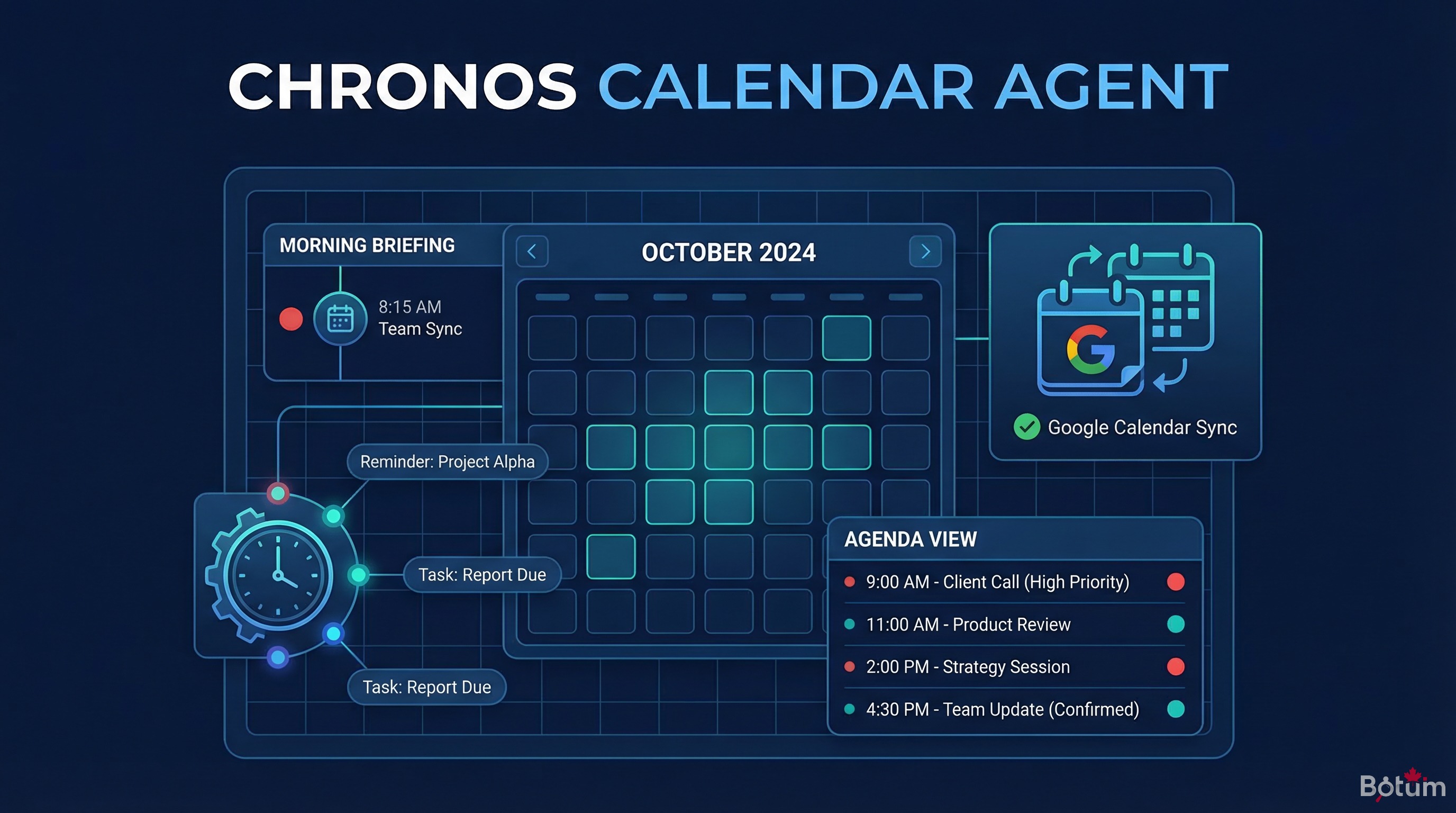
CHRONOS is the calendar agent. Its scope: reading and updating Google Calendar, generating briefings, coordinating reminders between agents.
Responsibilities
- Morning briefing: at 8:15am, CHRONOS queries the calendar for the next 48 hours and generates a structured briefing — meetings, deadlines, potential conflicts.
- On-demand queries: CHRONOS responds to other agents' requests about availability, free slots, upcoming events.
- Calendar updates: on instruction (via messaging or task queue), CHRONOS can create, modify, or delete events.
- Reminder coordination: CHRONOS informs other agents of events that concern them — a publication deadline for CYRANO, a client meeting for NEXUS.
Google Calendar API integration
CHRONOS uses the Google Calendar v3 API via OAuth 2.0. OAuth credentials are in the vault; the refresh token is stored securely.
# agents/chronos/ROLE.md
## Target calendar
- Calendar ID: retrieved from vault (key: gcal-primary)

## Morning briefing
- Time: 08:15 daily
- Window: D+0 to D+2
- Format: meeting list, deadlines, flagged conflicts
- Destination: usual messaging interface

## Rules
- "CONFIDENTIAL" events → exclude from shared summaries
- Conflicts < 30 min notice → P1 alert
- Create events only on explicit instruction

## Inter-agent coordination
- Publication deadline → notify CYRANO (D-1)
- Client meeting → notify NEXUS (D-1)
- Invoice due → notify LEDGER (D-2)
6. Inter-Agent Communication Protocols
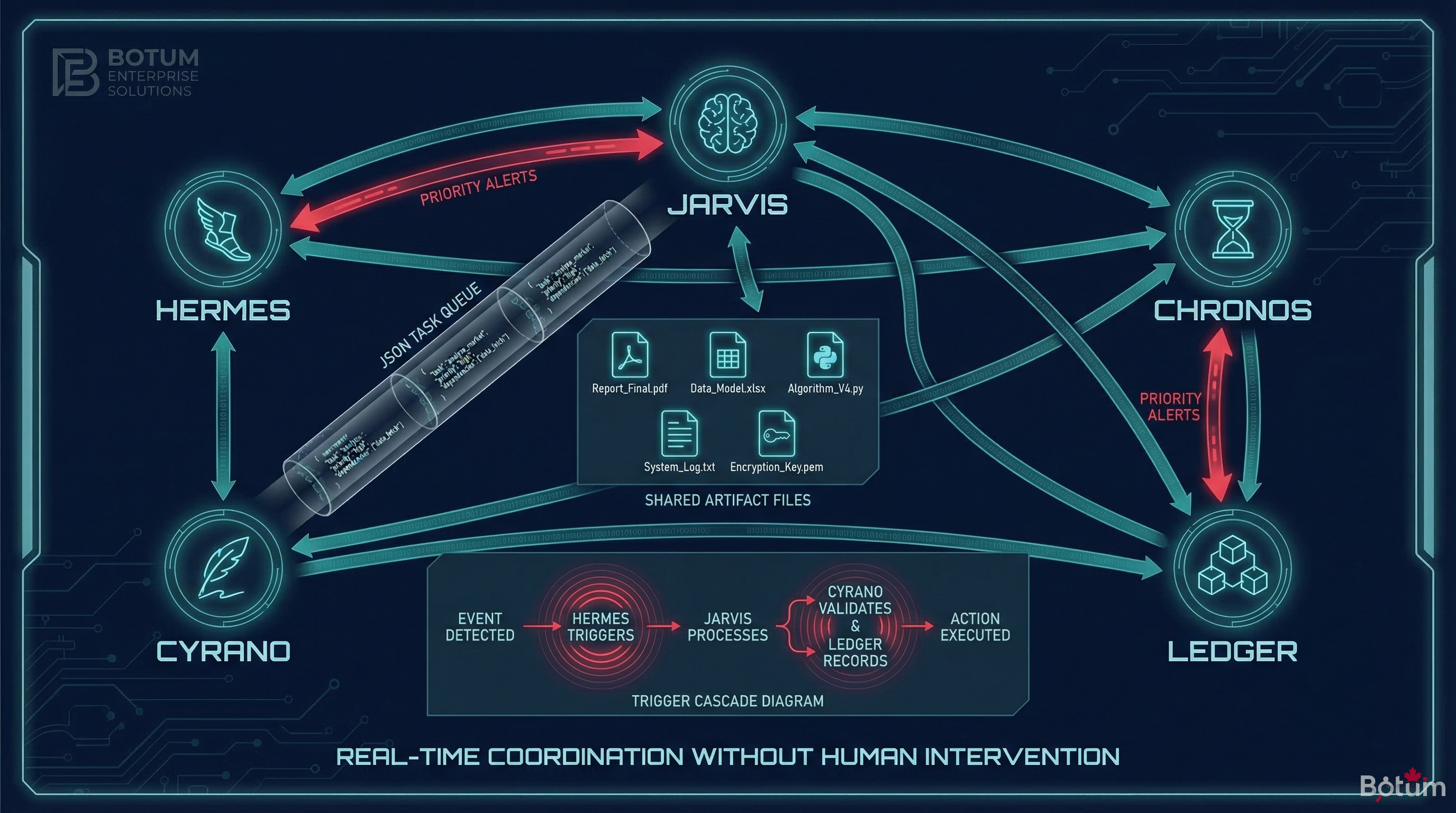
Agents don't communicate in real time. They communicate via persistent artifacts in the workspace — JSON files, task queues, shared states.
The task queue
The queue/tasks.json file is the primary communication channel between agents. A producer agent deposits a task; a consumer agent reads it at its next execution.
// queue/tasks.json (example)
[
  {
    "id": "task-2026-03-14-001",
    "from": "hermes",
    "to": "ledger",
    "type": "invoice_received",
    "priority": "normal",
    "payload": {
      "sender": "client@example.com",
      "subject": "Invoice #2026-031",
      "received_at": "2026-03-14T07:43:00Z"
    },
    "status": "pending",
    "created_at": "2026-03-14T07:43:12Z"
  }
]
Shared artifacts
For large data exchanges, agents use artifacts in the artifacts/ folder. HERMÈS can deposit a structured inbox export there. CHRONOS deposits its daily briefing as JSON so other agents can consume it.
Triggers
Certain events trigger cascading actions. CHRONOS detects a publication deadline tomorrow → deposits a trigger in triggers/ → CYRANO reads it at its next session and generates the missing content. The trigger contains the necessary metadata (slug, language, deadline) without requiring human intervention.
7. Errors to Avoid
The BOTUM teams identified three recurring error categories when deploying a multi-agent network:
Overlapping scopes
If two agents both have responsibility for "handling urgent emails," they'll produce two responses to the same email. The rule: one responsible agent per domain, no exceptions. Gray areas must be resolved in AGENTS.md, not left to each agent's interpretation.
Memory conflicts
If HERMÈS and JARVIS both write to MEMORY.md without coordination, you get contradictory or redundant entries. The rule: one agent (JARVIS in our architecture) owns long-term memory. Others deposit notes in memory/YYYY-MM-DD.md; JARVIS consolidates.
Infinite task loops
Classic scenario: HERMÈS deposits a task for CHRONOS, CHRONOS deposits a task for HERMÈS which triggers the same task again. The rule: each task in the queue must have an explicit final status (done, failed, skipped), and agents must verify a similar task doesn't already exist before creating one.
BOTUM rule: before deploying any new agent, exhaustively map its potential interactions with existing agents. One hour of design saves a week of debugging.
8. A Typical Day with 3 Active Agents
To illustrate concretely, here's a typical day in the BOTUM deployment:
- 07:43 — HERMÈS reads the overnight inbox. 12 emails. 1 urgent (unpaid invoice), 3 prospects, 8 newsletters. Deposits a task for LEDGER in the queue. Archives newsletters.
- 08:00 — JARVIS checks infrastructure health. All services nominal. Git workspace commit with overnight changes.
- 08:15 — CHRONOS generates the morning briefing: 2 meetings today, blog publication deadline tomorrow. Sends briefing to the usual messaging interface. Deposits a trigger for CYRANO (tomorrow's deadline).
- 09:30 — ARGUS (monitoring agent) deposits its weekly report in
artifacts/. JARVIS detects it and notifies via messaging. - 12:00 — HERMÈS processes the morning batch. 5 new emails. 1 standardized reply sent (prospect acknowledgment). 1 task created for NEXUS (LinkedIn lead follow-up).
- 16:00 — CYRANO, alerted by CHRONOS's trigger, begins drafting the post to be published tomorrow. Draft deposited in
artifacts/drafts/. - 20:00 — JARVIS final commit. Consolidates the day's logs into
memory/2026-03-14.md. Reports the day's operational summary via messaging.
No human intervention required over those 12 hours. Each agent operated within its scope, communicated via defined channels, left auditable traces.
Conclusion
Configuring JARVIS, HERMÈS, and CHRONOS represents the minimum operational foundation for an OpenClaw agent network. These three agents cover the fundamental domains of any organization: infrastructure, communication, and time.
The real difficulty isn't technical — it's organizational. Defining clear scopes, establishing unambiguous communication protocols, and resisting the temptation to add "temporary" responsibilities that end up becoming permanent and conflicting.
Once these three agents are stabilized, the network becomes extensible without friction. Each new agent integrates into an already-structured ecosystem, with clear conventions and established communication channels.
📄 Download this post as PDF
Complete version with configuration diagrams and JSON examples — for offline reading or team sharing.
Download PDF (EN)→ Post 6: OpenClaw vs ChatGPT vs Claude API: Which Tool for Which Enterprise Use Case?
🚀 Aller plus loin avec BOTUM
Ce guide couvre les bases. En production, chaque environnement a ses spécificités. Les équipes BOTUM accompagnent les organisations dans le déploiement, la configuration avancée et la sécurisation de leur infrastructure. Si vous avez un projet, parlons-en.
Discuter de votre projet →
