
Automating Operations with OpenClaw: Crons, Triggers, Task Queues and Escalations
System crons vs OpenClaw crons, triggers, JSON task queues, escalations with timeouts, multi-agent orchestration — the complete architecture for automating real operations with OpenClaw.
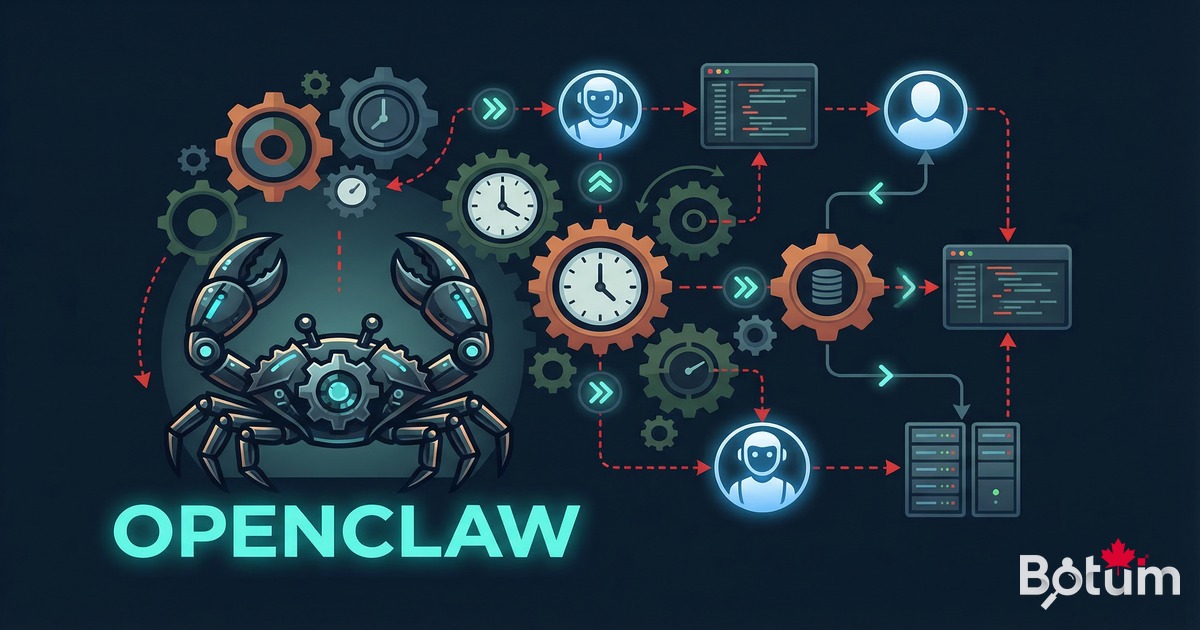
Answering questions is 10% of OpenClaw's value. The remaining 90% lies in automation — workflows that run without human intervention, agents that trigger on events, tasks that chain together in an orchestrated flow. This post covers the complete automation architecture.
1. The Real ROI of OpenClaw: Automation, Not Conversation
A common mistake when teams evaluate OpenClaw: they test it like an advanced chatbot — ask questions, get answers, measure response quality. That misses the point entirely.
OpenClaw's operational value isn't measured by the quality of a one-off response. It's measured by the number of tasks that execute without being asked: the morning report that arrives before the team is at their desks, the monitoring that detects an anomaly at 3am and immediately escalates, the invoice that auto-generates when a project is marked complete.
To get there, OpenClaw offers several automation mechanisms that need to be understood and combined intelligently. They're not interchangeable — choosing the wrong one means either wasting money (API costs) or missing important events.
Fundamental rule: any task that can be scheduled without artificial intelligence should be done via Linux system cron. AI only intervenes where reasoning is actually needed.
2. Crons: Linux System vs OpenClaw Crons
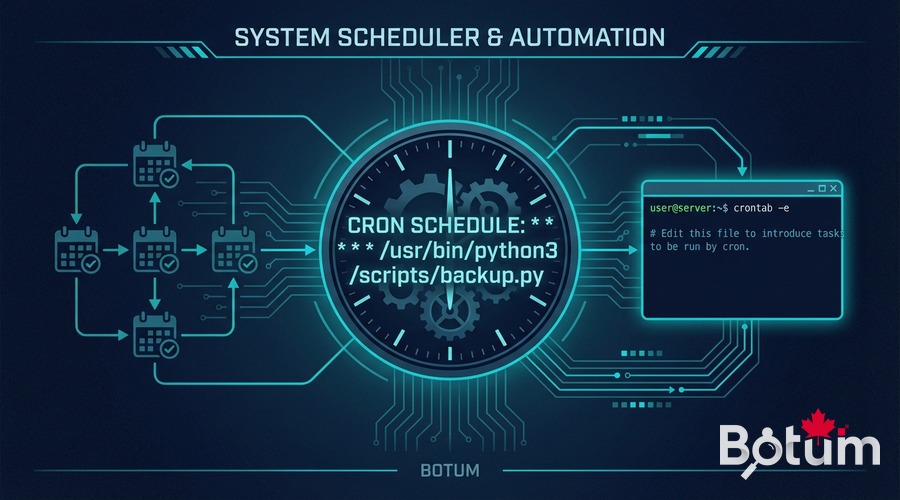
The distinction is fundamental and often ignored. There are two types of scheduling in an OpenClaw deployment, with radically different costs and use cases.
Linux System Cron (Zero API Cost)
Linux system cron executes shell or Python scripts directly on the server, without going through the OpenClaw runtime. API cost: zero. These crons are ideal for all mechanical and deterministic tasks:
- Backups and log rotation
- Data reconciliation (CSV import, database sync)
- Temporary file cleanup
- Formatted report emails (fixed template, no AI generation needed)
- Ping monitoring and binary alerts (up/down)
- Automatic workspace Git commits
A system cron running every 5 minutes to check service health costs €0 in API and consumes zero tokens. Always ask the question: does this job require reasoning or text generation? If not → system cron.
OpenClaw Crons (API Cost — Use Sparingly)
An OpenClaw cron triggers an agent session — meaning an API call to the LLM, with a token cost. These crons are justified for tasks requiring:
- Reading and summarizing unstructured content (emails, tickets, logs)
- Contextual decision-making (prioritize, classify, recommend)
- Variable content generation (drafted reports, personalized digests)
- Complex conditional actions (if X and Y and not Z → do W)
- Cross-agent coordination (orchestration)
The operational rule: OpenClaw crons should not run more often than necessary. A daily email digest at 8am → 1 session/day. A weekly report → 1 session/week. Avoid short intervals (hourly or less) for aggregation tasks that could be batched.
Example Configuration
System crontab (no API):
# Backup workspace Git every hour
0 * * * * cd /workspace && git add -A && git commit -m "auto: hourly checkpoint" 2>/dev/null

# Clean logs older than 30 days
0 2 * * * find /var/log/app/ -mtime +30 -delete

# Daily CSV report — deterministic Python script
30 7 * * * python3 /scripts/gen_daily_csv.py
OpenClaw cron (with API call):
# Intelligent email digest — 1x/day at 8am (via openclaw schedule)
# schedule: "0 8 * * *"
# prompt: "Read emails from the past 24h, draft a prioritized digest"

# Weekly report — Friday 4pm
# schedule: "0 16 * * 5"
# prompt: "Analyze this week's metrics and draft the report"
3. Triggers and Events
Crons trigger agents at fixed intervals. Triggers fire agents on events — more reactive and often more efficient.
Heartbeat
The heartbeat is an OpenClaw mechanism that wakes the agent at regular intervals for lightweight checks. Unlike a cron that executes a specific task, the heartbeat lets the agent check its state and decide whether there's anything to do.
Good use: check urgent emails 2-3 times a day, check calendar for upcoming events, validate workspace health.
Bad use: heartbeats every 15 minutes to find nothing → useless API cost. An idle heartbeat should return HEARTBEAT_OK with no additional processing.
Inbound Messages as Triggers
A message received on the agent's channel (Telegram, Discord, etc.) is itself a trigger. The agent can receive:
- Direct instructions from the human
- Automatic notifications from other systems (webhooks)
- Messages from other agents in a multi-agent workflow
This mechanism is particularly useful for escalations (see section 5): an agent that detects an anomaly can notify the human via message, and the human can reply to authorize an action.
Scheduled Events in the Workspace
The agent can maintain a scheduled events file in its workspace — a registry of future tasks with their target execution time. At each heartbeat or cron, the agent consults this registry and executes tasks whose time has come.
# events/scheduled.json
{
  "tasks": [
    {
      "id": "invoice-Q1-2026",
      "due": "2026-03-31T09:00:00",
      "type": "billing",
      "payload": {"client": "Acme Corp", "period": "Q1-2026"}
    },
    {
      "id": "weekly-review",
      "due": "2026-03-21T16:00:00",
      "type": "report",
      "payload": {"scope": "weekly-metrics"}
    }
  ]
}
4. Task Queues
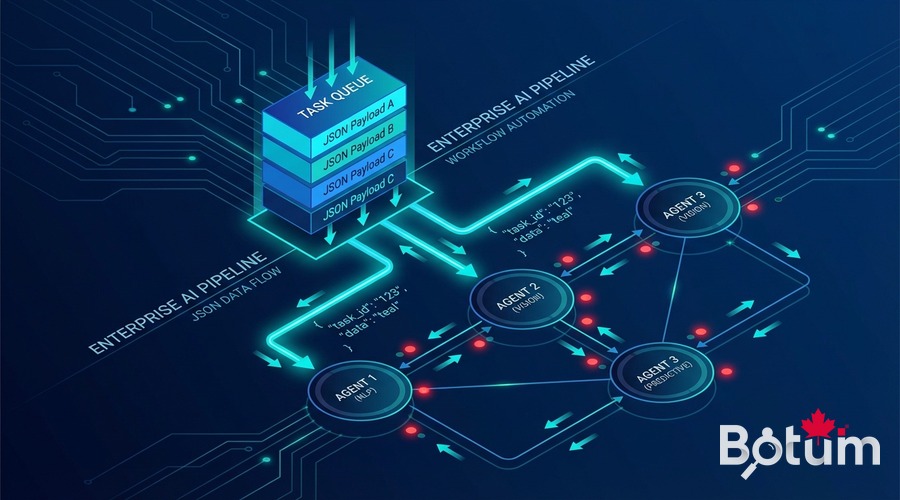
When multiple agents work together, a mechanism is needed to pass work from one to another in an ordered, traceable way. The JSON queue pattern is simple and effective.
JSON Queue Pattern
A JSON file in the shared workspace acts as a queue. The producer agent adds tasks, the consumer agent reads them, processes them, and updates their status.
# queues/content-queue.json
{
  "items": [
    {
      "id": "post-openclaw-b9",
      "status": "pending",
      "type": "blog_post",
      "created_by": "JARVIS",
      "created_at": "2026-03-14T08:00:00",
      "payload": {
        "title": "Memory and Context in OpenClaw",
        "deadline": "2026-03-21",
        "brief": "memory/b9-brief.md"
      }
    }
  ]
}
Agent-to-Agent Workflow
A typical workflow in a BOTUM agent network:
- Agent JARVIS (system) detects an approaching publication deadline → adds a task to
queues/content-queue.json - Agent CYRANO (writing) reads the queue at its next heartbeat → processes the task → produces the post → marks
status: done - Agent JARVIS detects the
donestatus → triggers Ghost publication → notifies via Telegram
This pattern provides complete traceability: every status change is committed to Git, every handoff is timestamped and auditable.
Agent Handoffs
Beyond simple queues, handoffs can include artifacts — files produced by one agent and consumed by the next:
- Agent HERMÈS produces
outputs/email-digest-2026-03-14.md→ JARVIS includes it in the morning briefing - Agent LEDGER produces
outputs/timesheet-march.csv→ CYRANO formats it into a client report - Agent ARGUS produces
outputs/tech-watch-week-11.md→ NEXUS selects topics for LinkedIn
5. Escalations
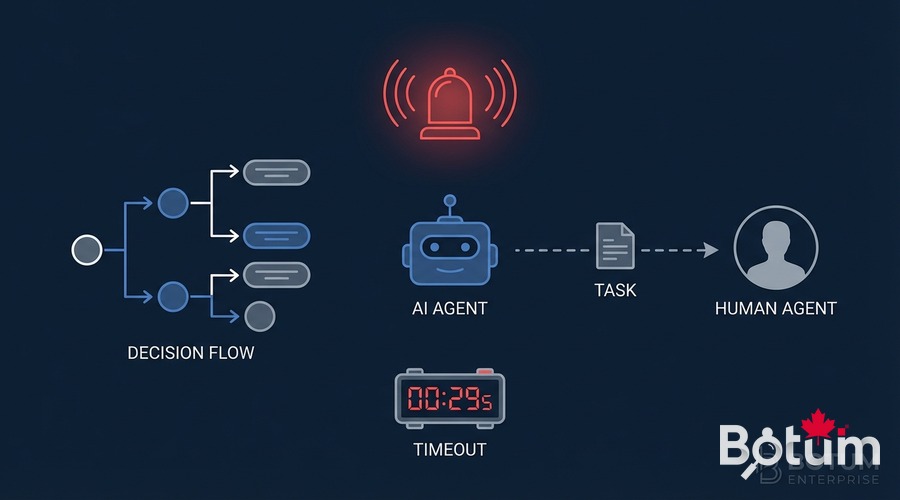
Automation doesn't eliminate the need for human judgment — it concentrates it where it's truly necessary. A well-designed agent knows when to recognize situations that exceed its decision scope and escalates in a structured way.
When to Escalate?
- High-impact irreversible decision: sending an email to a key client, deleting data, triggering an expense
- Request ambiguity: multiple plausible interpretations with different consequences
- Unknown situation: the agent encounters a case its rules don't cover
- Timeout: a task takes too long without result → human notification
- Repeated failure: 3 failed attempts on the same task → automatic escalation
Escalation Mechanism
The agent sends a structured notification via the configured messaging channel, with context and action options:
🚨 ESCALATION — Agent LEDGER
Task: Invoice generation Acme Corp Q1-2026
Amount: $8,400
Issue: Hourly rate not confirmed (ambiguous contract)
Options:
  [A] Use $125/h (last confirmed rate)
  [B] Wait for client confirmation
  [C] Suspend — I'll handle manually
Timeout: 4h → action A by default
The human responds, the agent resumes. If no response within the allotted time, a defined fallback applies — never indefinite inaction.
Timeouts and Fallbacks
Every escalation must have an explicit timeout and a documented fallback behavior. Common options:
- Conservative default action: if no response, take the least-risky action
- Task suspension: put on hold with log in the queue
- Re-escalation to a higher level: after N hours, escalate to a supervision channel
6. Multi-Agent Orchestration
Multi-agent orchestration is the highest level of OpenClaw automation — a coordinator agent that delegates to specialized agents, aggregates their results, and makes high-level decisions.
Lead-Delegate Architecture
Agent JARVIS (system) plays the coordinator role in the BOTUM infrastructure. It doesn't process data itself — it orchestrates:
- It monitors the workspace and detects triggers (deadline, anomaly, non-empty queue)
- It spawns sub-agents with lightweight contexts and precise missions
- It awaits their results (push-based, no polling)
- It aggregates and makes decisions based on results
- It notifies the human when necessary
Context Isolation
Each sub-agent receives a minimal context — only what it needs for its task. This isolation is both a security measure (a compromised sub-agent only exposes part of the context) and a cost optimization (light context = fewer tokens).
Result Monitoring
Sub-agents write their results to shared files in the workspace. The coordinator agent doesn't need to stay active during their execution — it reads results when they're available. This pattern avoids blocking and enables natural parallelization.
# Example: sub-agent result
# outputs/subagent-results/email-digest-20260314.json
{
  "agent": "hermes",
  "task": "email-digest",
  "status": "done",
  "completed_at": "2026-03-14T08:12:33",
  "output_file": "outputs/email-digest-2026-03-14.md",
  "summary": "23 emails processed, 3 urgent identified",
  "escalations": ["email:overdue-invoice-client-X"]
}
7. Concrete Automation Patterns
Four patterns running in production at BOTUM — documented with their real architecture.
Pattern 1: Daily Email Digest
Frequency: Every morning at 7:45am (OpenClaw cron)
Agent: HERMÈS
How it works:
- Reads emails from the past 24h via himalaya CLI
- Classifies by priority (urgent / to-do / FYI / newsletter)
- Drafts a structured markdown digest
- Writes to
outputs/email-digest-YYYY-MM-DD.md - Notifies JARVIS → included in the 8:15am briefing
Cost: ~2,000 tokens/day (one lightweight session)
Pattern 2: Weekly Report
Frequency: Friday 4pm (OpenClaw cron)
Agents: LEDGER + JARVIS + CYRANO
How it works:
- LEDGER compiles the week's timesheets →
outputs/timesheet-week-NN.csv - JARVIS aggregates infrastructure metrics + git activity
- CYRANO drafts the client report with the compiled data
- PDF generated → sent to client
Cost: ~8,000 tokens/week (3 coordinated sessions)
Pattern 3: Automatic Invoicing
Trigger: Project marked as "complete" in the workspace
Agent: LEDGER
How it works:
- Detects status change via file monitoring
- Calculates amount (hours × contractual rate)
- Check: amount > validation threshold → human escalation
- If validated or below threshold: generates PDF invoice
- Automatic send or queue based on client preference
Pattern 4: Infrastructure Monitoring Alert
Frequency: System cron every 5 minutes (zero API cost)
Escalation: OpenClaw cron if anomaly detected
How it works:
- Bash script checks services (ping, HTTP 200, disk space)
- If all OK → silent log, zero API cost
- If anomaly → writes to
alerts/pending.json - Agent JARVIS reads the file at its next heartbeat → analyzes context
- If critical → immediate notification with enriched context
- If non-critical → aggregated in the morning digest
8. Anti-Patterns to Avoid
The most costly automation mistakes — documented so nobody has to repeat them.
❌ Infinite Agent Loops
Agent A creates a task for agent B, agent B creates a task for agent A, with no termination condition. Result: infinite loop, explosive API costs. Rule: every workflow must have an explicit termination condition and a max-iterations counter.
❌ Too-Frequent Heartbeats
A heartbeat every 15 minutes generates 96 sessions/day. Even if each session is lightweight (500 tokens), that's 48,000 tokens/day of baseline cost before doing anything useful. Calibrate heartbeats based on acceptable task latency — most tasks support 2-4 heartbeats per day.
❌ Overly Broad Agents
An agent that tries to do everything in a single session — read emails, analyze metrics, draft a report, check the calendar — accumulates an enormous context, makes increasingly incoherent decisions, and costs more. Break into specialized agents with short, focused sessions.
❌ Automation Without Logs or Traceability
A workflow that executes without leaving a trace in Git or a log file is impossible to audit and debug. Every significant automated action must be logged with timestamp, responsible agent, decision made, and result.
❌ Escalations Without Timeout
An escalation without a timeout can block a workflow indefinitely. If the human doesn't respond, the system is frozen. Always define a clear fallback behavior with an explicit deadline.
❌ OpenClaw Crons for Mechanical Work
Using an OpenClaw cron to generate a CSV report from structured data (zero AI required) is pure waste. Linux system cron suffices — 100% savings on that job.
9. Automation Checklist
- ✅ Every scheduled task is classified: system cron (zero cost) or OpenClaw cron (justified cost)
- ✅ Frequency calibrated to acceptable latency: no hourly OpenClaw cron for a task that can wait overnight
- ✅ Every workflow has a termination condition: infinite loops are impossible
- ✅ Every escalation has explicit timeout and fallback: never indefinite inaction
- ✅ Every automated action is logged: timestamp, agent, decision, result
- ✅ Sub-agent contexts are minimal: only what's necessary for the task
- ✅ Sub-agent results are push-based: no active polling
- ✅ Escalation thresholds are documented: amount, impact, irreversibility
- ✅ Regular workflow tests: verify automation still works after every configuration change
- ✅ Monthly token budget estimated: every automated workflow should have an API cost estimate
🚀 Go Further with BOTUM
Operations automation is easy to start — and very hard to scale without solid architecture. BOTUM teams have designed agent workflows running in production for months with zero daily supervision. If you want the next level, let's talk.
Discuss your project →📄 Download this guide as PDF — Complete version with checklist, patterns and configuration examples.
Download PDF EN →Conclusion
Automation with OpenClaw isn't a technology question — it's an architecture question. Knowing which mechanism to use (system cron vs OpenClaw), how to structure task queues, when and how to escalate, how to orchestrate multiple agents in parallel: these decisions determine whether automation scales or collapses under its own complexity.
The patterns presented in this post aren't theoretical. They run in production. Neither are the anti-patterns — every one of them was encountered and corrected.

