
CrowdSec: The Collaborative IDS/IPS That Replaces fail2ban
Complete CrowdSec guide: installation, collections, Nginx/Docker bouncers, dashboard and Telegram alerts.

In 2024, automated scans attack your server within 5 minutes of it going online. I've seen freshly installed servers receive over 10,000 SSH connection attempts in 24 hours. fail2ban has long been the standard response, but CrowdSec is a major evolution: shared collective intelligence, multi-protocol behavioral detection, and integration with the network ecosystem. This guide shows you how to deploy CrowdSec in production.
Why CrowdSec Over fail2ban?
fail2ban is an excellent tool, but it operates in isolation — each server learns from its own attacks independently. CrowdSec changes the paradigm: when your server detects a malicious IP, it's shared with all CrowdSec community members (380,000+ instances in 2024). When someone attacks a server in Korea, your server in London is already protected.
- Collective intelligence: community blocklists (5+ million malicious IPs)
- Multi-protocol: SSH, HTTP, MySQL, RDP, Kubernetes — anything with logs
- Behavioral detection: attack patterns, not just failure counters
- Flexible remediation: block, captcha, redirect, notify
- Modern API: integrates with nginx, Traefik, HAProxy, OPNsense...
- Separate components: lightweight agent + decoupled decision engine
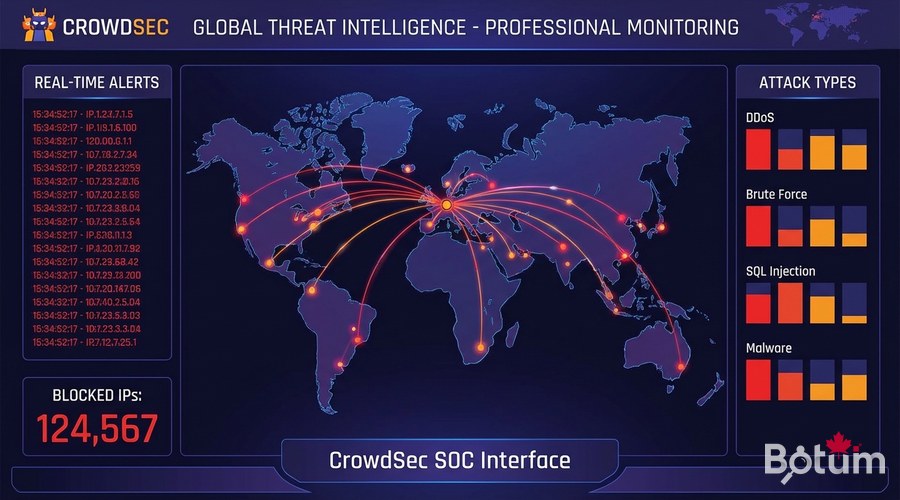
CrowdSec Architecture
- Agent (crowdsec): reads logs, detects malicious behaviors
- Local API (LAPI): local brain that makes blocking decisions
- Bouncers: enforce decisions (iptables, nginx, OPNsense...)
Installing CrowdSec
On Ubuntu / Debian
curl -s https://packagecloud.io/install/repositories/crowdsec/crowdsec/script.deb.sh | sudo bash
sudo apt install -y crowdsec

# Verify installation
sudo systemctl status crowdsec
sudo cscli version
sudo cscli collections list
Installing Collections
# Essential collections
sudo cscli collections install crowdsecurity/linux
sudo cscli collections install crowdsecurity/nginx
sudo cscli collections install crowdsecurity/apache2
sudo cscli collections install crowdsecurity/mysql
sudo cscli collections install crowdsecurity/wordpress
sudo cscli collections install crowdsecurity/traefik

# Reload after installation
sudo systemctl reload crowdsec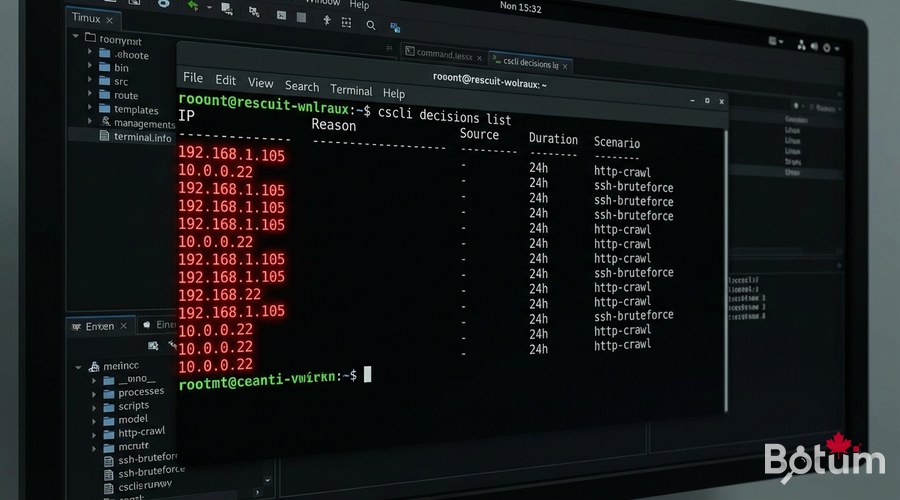
Install Bouncers — Where the Magic Happens
iptables bouncer (kernel-level network blocking)
sudo apt install -y crowdsec-firewall-bouncer-iptables# /etc/crowdsec/bouncers/crowdsec-firewall-bouncer.yaml
mode: iptables
update_frequency: 10s
api_url: http://127.0.0.1:8080
api_key: <YOUR_API_KEY>
deny_action: DROP
supported_decisions_types:
- bansudo systemctl enable --now crowdsec-firewall-bouncer
sudo cscli bouncers listnginx bouncer (HTTP-level blocking)
sudo apt install -y crowdsec-nginx-bouncer
sudo nginx -t && sudo systemctl reload nginx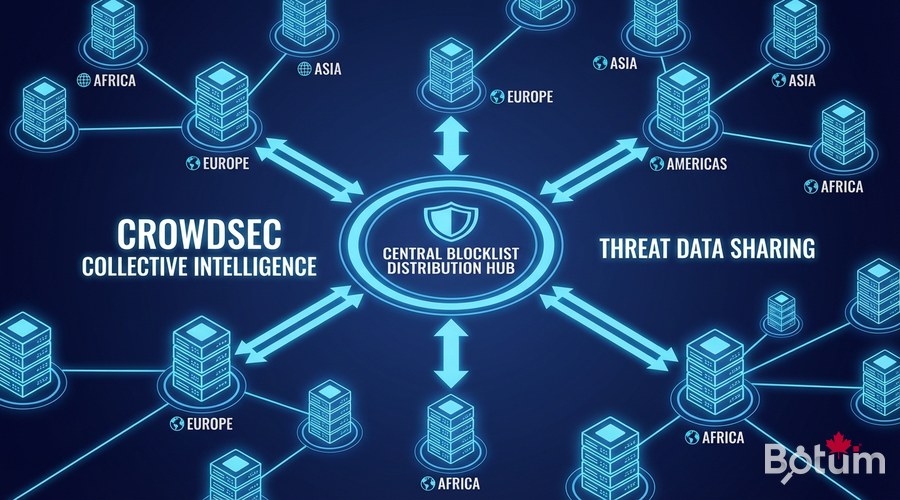
CrowdSec Hub — Blocklists
# Register on CrowdSec Hub
sudo cscli console enroll <your-hub-token>
sudo cscli hub update

# Available premium blocklists (app.crowdsec.net):
# - Firehol Level 1 (known malicious IPs)
# - Suspicious proxies and VPNs
# - Tor exit nodes
# - Known scanners (Shodan, Censys...)

sudo cscli hub list
Alerts and Notifications
# /etc/crowdsec/notifications/telegram.yaml
type: telegram
name: telegram_default
format: |
  {{range . -}}
  🚨 CrowdSec Alert
  IP: {{.Source.IP}}
  Country: {{.Source.Cn}}
  Reason: {{.Scenario}}
  {{end -}}

token: "YOUR_TELEGRAM_BOT_TOKEN"
chat_id: "YOUR_CHAT_ID"

# Activate
sudo cscli notifications add telegram_default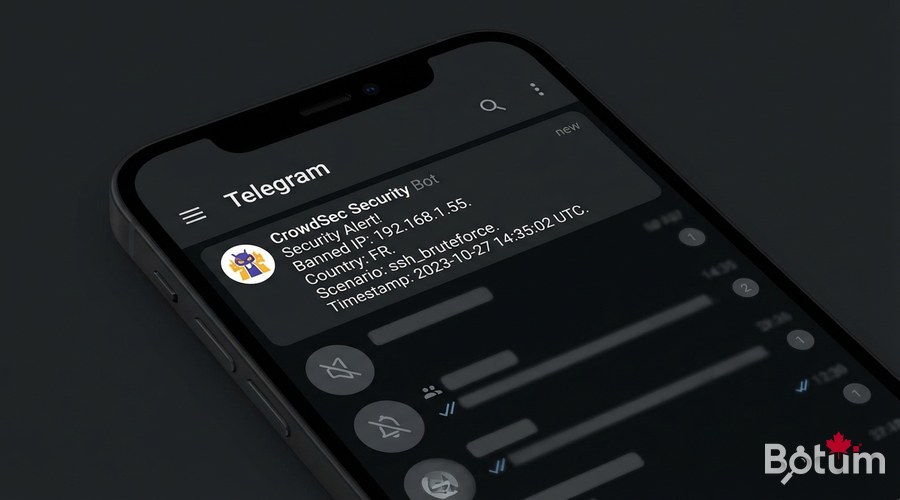
Decision Management
# View currently blocked IPs
sudo cscli decisions list

# Manually ban an IP
sudo cscli decisions add --ip 1.2.3.4 --duration 24h --reason "Manual test"

# Unban an IP (false positive)
sudo cscli decisions delete --ip 1.2.3.4

# Recent alerts
sudo cscli alerts list

# Global metrics
sudo cscli metrics
Multi-Server Deployment
# On the central LAPI server
# /etc/crowdsec/config.yaml
api:
  server:
    listen_uri: 0.0.0.0:8080

# On agent servers
# /etc/crowdsec/local_api_credentials.yaml
url: http://<LAPI_IP>:8080
login: <agent_login>
password: <agent_password>

# Register agent with central LAPI
sudo cscli lapi register --url http://<LAPI_IP>:8080 --machine agent-server1
Next Steps
- Configure OPNsense/PFSense integration via the pfSense bouncer
- Set up whitelists for your legitimate IPs (avoid false positives)
- Explore custom scenarios for your business applications
- Centralize logs with Loki + Grafana for visualization
- Test simulation mode for 48 hours before enabling blocking
Download this guide as a PDF to read offline.
⬇ Download the guide (PDF)🚀 Go Further with BOTUM
This guide covers the essentials. In production, every environment has its own specifics. BOTUM teams accompany organizations through deployment, advanced configuration, and infrastructure hardening. If you have a project, let's talk.
Discuss your project →
